Ecommerce PPC Explained Step by Step: How We Build Profitable Stores in 2026
Ecommerce PPC is not about buying clicks. It is about deciding which products deserve ad money, on which channel, at what return, and then protecting your margin while you scale. Here is the step by step version we use on live stores.
Key takeaways
- Ecommerce PPC works when every channel has a clear job: Shopping and Performance Max capture demand, Search protects intent, Meta creates it.
- Your product feed is the ad on Shopping. Titles, images, prices and custom labels decide more than bids do.
- Set targets from margin, not from a benchmark. Break-even ROAS is one divided by your contribution margin.
- Segment products by margin and sales volume so budget follows profit instead of whatever the algorithm likes this week.
- Plan promotions and stock with the ad account, and judge results on new customer profit, not platform-reported revenue alone.
01What ecommerce PPC actually means in 2026
Ecommerce PPC is paid advertising where the product is the hero and the till is the scoreboard. For an online store that usually means Google Shopping and Performance Max, a lean set of Search campaigns, and Meta ads on Facebook and Instagram, all pointed at one question: did this spend produce profitable orders? Everything else, from clicks to impressions to reach, is supporting detail.
We manage ecommerce PPC for fashion labels, homeware shops, supplement brands, spare parts stores and a few very niche hobby retailers. The accounts look different, but the stores that struggle almost always make the same three mistakes. They let one platform decide everything, they set a ROAS target they copied from a blog post, and they treat the product feed as a technical chore rather than their most important piece of creative.
This guide walks through how we fix those three things and build an account step by step. If you run a store on Shopify, WooCommerce or anything else, the principles are the same. If you want the bigger picture of how we run a paid media programme for stores, our ecommerce marketing services page shows where PPC sits alongside email, CRO and SEO.
How ecommerce PPC differs from lead generation PPC
A lead generation account sells one or two services and optimises towards a form fill that sales will judge weeks later. A store sells hundreds or thousands of products, each with its own margin, stock level and seasonality, and gets a revenue figure back within minutes. That speed is a gift, but it also tempts owners to react to every daily wobble. The discipline in ecommerce is about deciding what to ignore as much as what to act on.
02The ecommerce PPC channel mix: who does what
The healthiest store accounts we see give each channel a clear job. When two channels are chasing the same buyer with the same message, you pay twice for one sale and both platforms claim it. When a channel has no job at all, it drifts towards whatever converts cheapest, which is usually people who were going to buy anyway.
| Channel | Main job | What it is good at | Where it goes wrong |
|---|---|---|---|
| Google Shopping | Capture people searching for a product | Price and image comparison, clear buying intent | Weak feed titles, no segmentation by margin |
| Performance Max | Scale product demand across Google | Reaching buyers across Search, Shopping, YouTube and Display | Quietly spending on brand terms and returning visitors |
| Google Search | Protect brand and win high-intent category terms | Control over queries and ad copy | Bloated keyword lists, broad match with no guard rails |
| Meta ads | Create demand and introduce new products | Visual storytelling, reaching people before they search | Retargeting eating the budget, creative fatigue |
| Retargeting | Bring back undecided visitors | Recovering baskets and product viewers | Paying for sales that would have happened anyway |
On Google, the starting point for most stores is Google Shopping ads or a well built Performance Max campaign, because that is where people who already want the product are looking. Our Performance Max guide covers how PMax spends its money and when a standard Shopping campaign is the safer choice. Search then fills two gaps: defending your brand name and targeting a small number of category terms where you want tight control over the message.
Meta does a different job. Most people scrolling Instagram are not shopping for a garden bench, but a good video of one in a sunny courtyard can plant the idea. That is why we treat Meta ads for ecommerce as the engine for new customers and new product launches, and judge it over a longer window than Google.
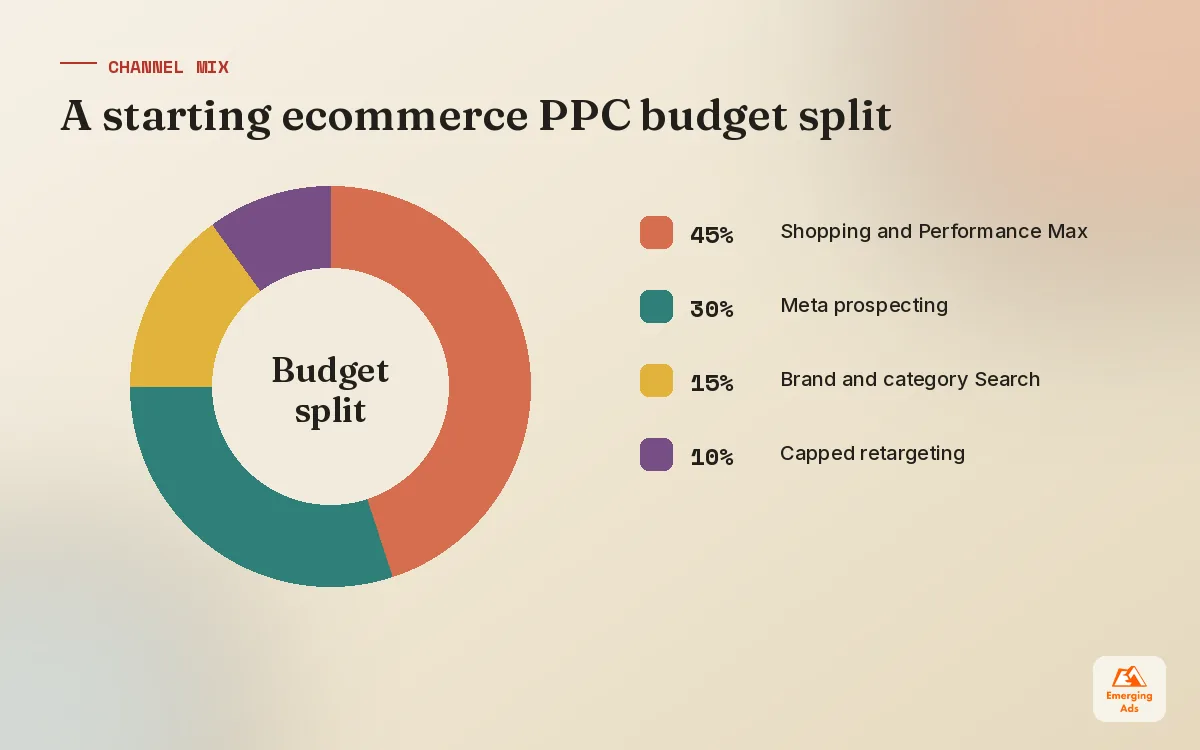
A sensible starting split
For a store with steady sales and a working feed, we usually start with most of the budget on Google demand capture, a solid share on Meta prospecting, and a small, capped slice for retargeting. That is a starting point, not a rule. A brand with a strong visual product and low search volume, such as a new category nobody is searching for yet, may need the opposite balance for the first few months.
03Your product feed is the real ad
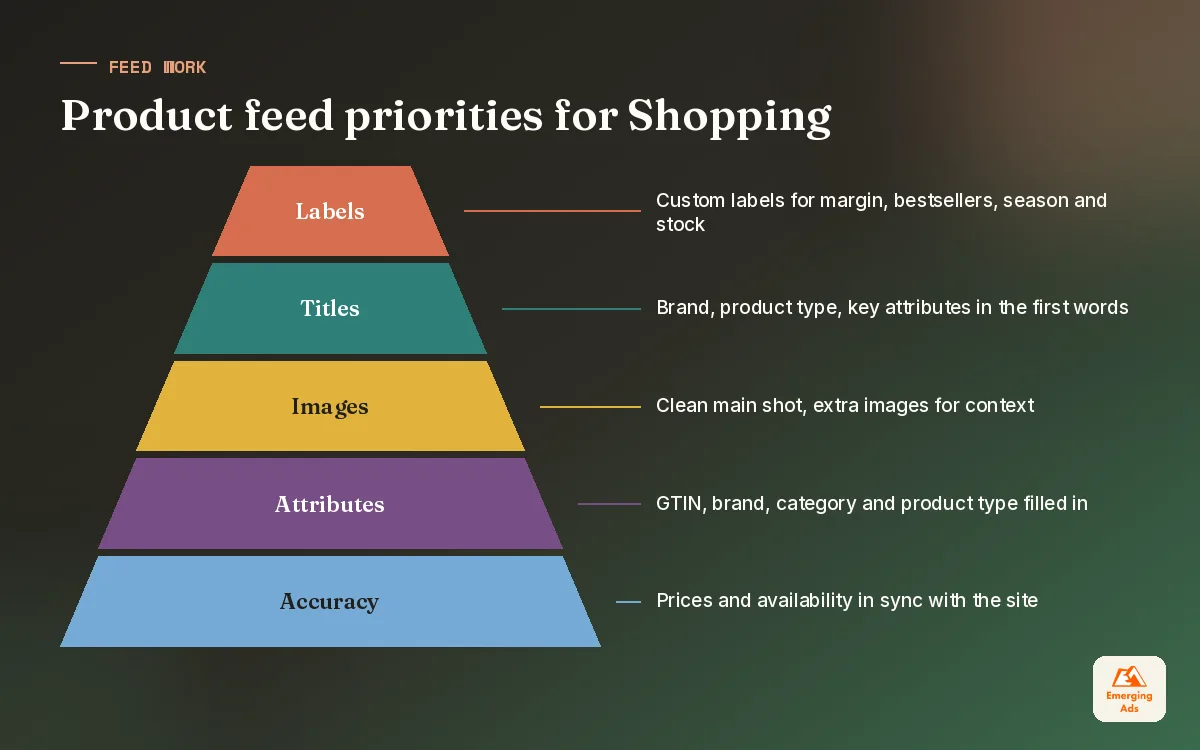
On Shopping and Performance Max, you do not write the ad for most placements. Google builds it from your product feed. The title becomes the headline, the image is the creative, and the price is the offer. When a store tells us Shopping does not work for them, the feed is the first place we look, and it is usually where the answer is.
Titles that match how people search
Shoppers search with attributes: brand, product type, size, colour, material, model number. A title like “The Aurora” means something to your team and nothing to Google. “Aurora Oak Dining Table, 6 Seater, Extending, 180cm” gives the algorithm something to match. We rewrite titles in batches, starting with the products that already get impressions, and watch search terms for a few weeks before touching the next batch.
Images, prices and the attributes people forget
- Main image. Clean product shot on a plain background for Shopping. Save the lifestyle shots for Meta and additional image fields.
- Price and sale price. Keep them in sync with the site. Mismatches lead to disapprovals and wasted days.
- GTINs and brand. Where products have them, include them. They help Google match you to the right searches.
- Product type and category. Your own product type hierarchy is what lets us segment campaigns sensibly later.
- Custom labels. The most underused field in ecommerce PPC. We use them for margin band, bestseller status, season and stock depth.
If you are on Shopify, most feed problems come from apps overwriting each other or variants being pushed with identical titles. Our Shopify ecommerce marketing team sees the same handful of issues again and again, and most are fixable in an afternoon once someone owns them.
04Margins first: setting ROAS and POAS targets for ecommerce PPC
Here is the maths most stores skip. Your break-even ROAS is one divided by your contribution margin, meaning what is left from each sale after product cost, delivery, payment fees and typical returns. If you keep 40 pence of every pound after those costs, you need to return 2.5 in revenue for every 1 spent on ads just to stand still. Anything above that is profit. Anything below it is a loss, however good the dashboard looks.
| Contribution margin | Break-even ROAS | What a 3.0 ROAS means | Typical store type |
|---|---|---|---|
| 60% | 1.67 | Comfortably profitable | Own brand beauty, supplements |
| 45% | 2.22 | Profitable | Own brand homeware, apparel |
| 33% | 3.03 | Roughly break-even | Resold branded goods |
| 20% | 5.00 | Losing money on every sale | Electronics, low margin resale |
Break-even figures are straight arithmetic. The store types are illustrative, because margins vary widely inside every category. The point is that two stores both celebrating a 3.0 ROAS can be in completely different positions.
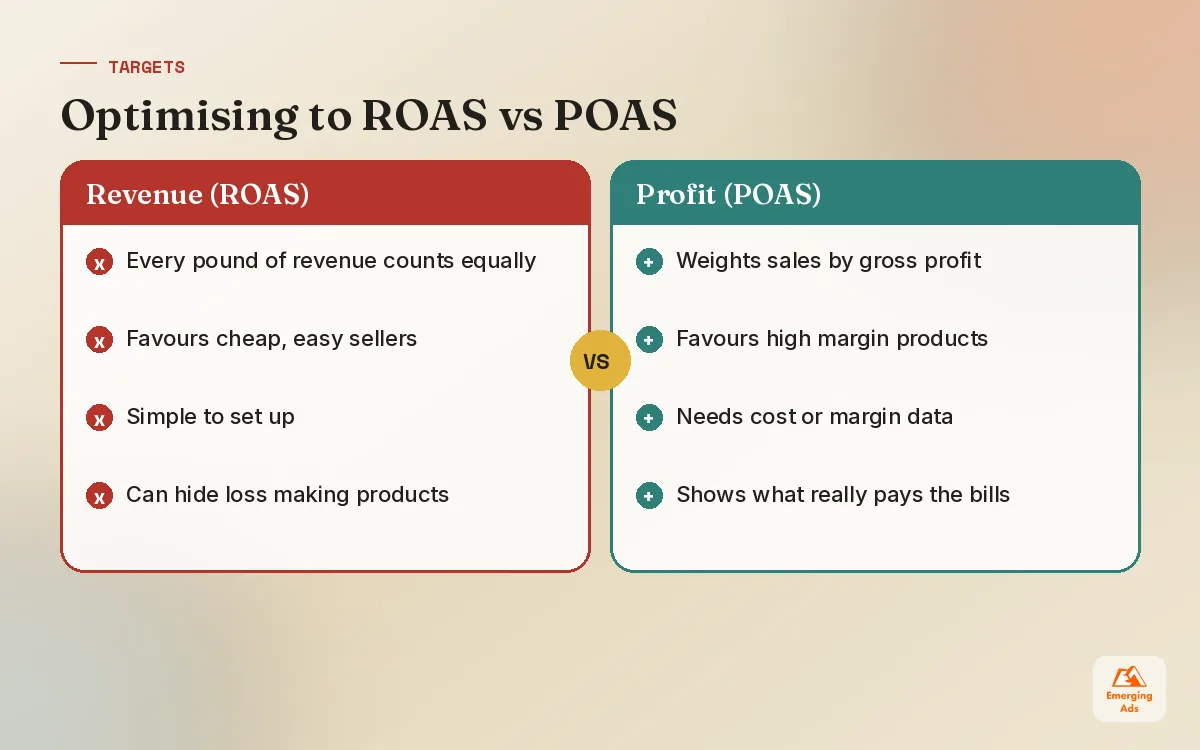
Why we prefer POAS where the data allows
ROAS treats a 20 pound sale of a high margin item the same as a 20 pound sale of a loss leader. POAS, or profit on ad spend, divides gross profit by ad spend instead. When a client can pass product cost or margin into their conversion data, we start optimising towards profit rather than revenue. It needs clean conversion tracking and some care with how values are sent, but it stops the algorithm from happily selling your cheapest, least profitable products all day.
First order versus lifetime value
A consumable brand where customers reorder every six weeks can afford to acquire them at break-even or even a small loss. A furniture store that sells once every eight years cannot. We agree with each client which of these they are before setting any target, and we write it down so nobody moves the goalposts in month three.
05Step by step: building an ecommerce PPC account from zero
When we take on a new store, or rebuild one that has grown messy, we follow the same order. Skipping steps is how accounts end up with twelve overlapping campaigns and nobody able to explain where the money goes.
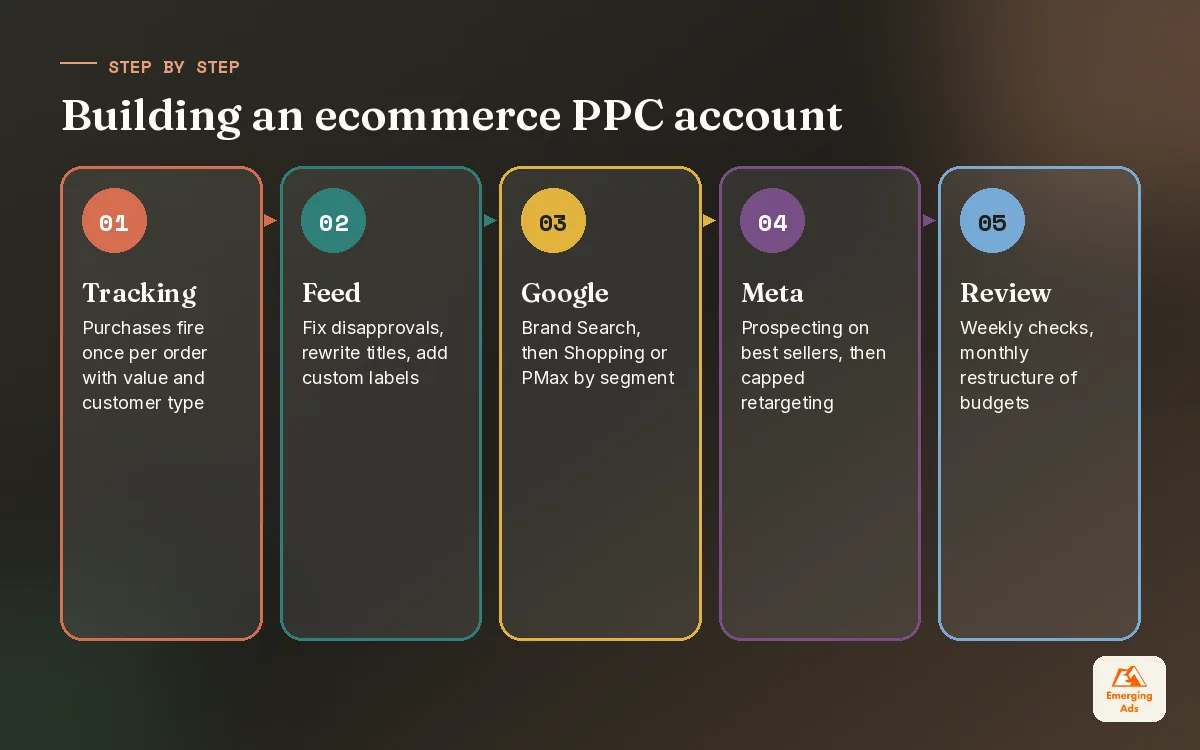
- Fix tracking first. Purchase events firing once per order, with value, currency and ideally new versus returning customer flags. Test with real orders.
- Clean the feed. Resolve disapprovals, rewrite titles for top sellers, add custom labels for margin and bestseller status.
- Build brand Search. A small campaign on your brand name so competitors and resellers do not take your own traffic cheaply.
- Launch Shopping or PMax by segment. Group products by margin band or category, not one giant campaign for everything.
- Add Meta prospecting. Two or three creative angles on your best sellers, broad audiences, a clean pixel and Conversions API.
- Add capped retargeting. Only once prospecting is running, and with a budget limit so it cannot swallow the account.
- Review weekly, restructure monthly. Weekly for search terms, feed issues and pacing. Monthly for budget splits and segments.
On Google, the brand and category Search pieces follow the same structure described in our Google Ads management guide, and we hand the day to day of those campaigns to our Google Search ads management specialists. On Meta, the setup mirrors the account structure in our Meta ads management guide, with a stronger emphasis on product led creative.
06Segmenting products so budget follows profit
Left to itself, an automated campaign spends where it finds conversions most easily. That is often your cheapest products, your bestseller that sells well organically anyway, or whatever happens to have the most reviews. None of those is necessarily where your profit is.
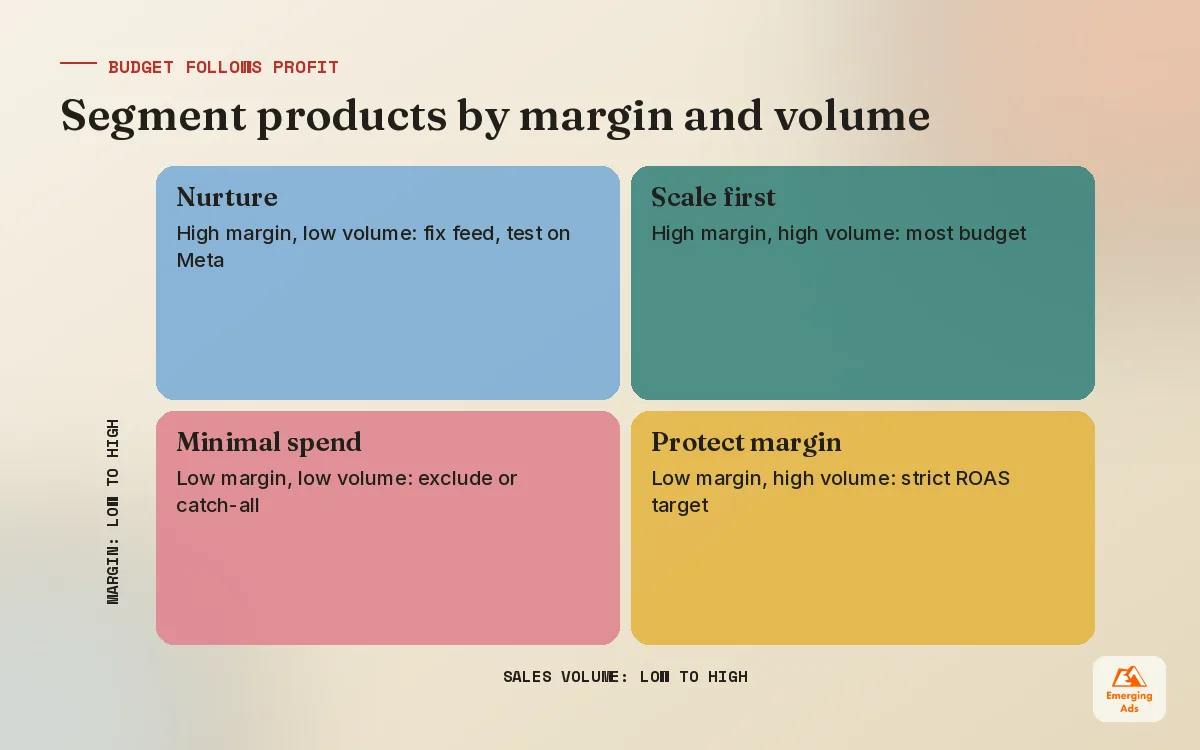
We segment products on two axes: contribution margin and sales volume. That gives four groups, each treated differently. It sounds simple, and it is, but it is the single change that has most often turned a flat account into a profitable one in stores we manage.
| Segment | How we run it | Target approach |
|---|---|---|
| High margin, high volume | Own campaign, generous budget, first to scale | Lower ROAS target to buy more volume |
| High margin, low volume | Feed work, fresh images, test on Meta | Moderate target, give it time to learn |
| Low margin, high volume | Separate campaign, strict target | Higher ROAS target to protect margin |
| Low margin, low volume | Minimal or no spend | Exclude or group into a low budget catch-all |
Custom labels in the feed make this possible without restructuring the whole account every time a price changes. We refresh margin labels monthly, or whenever a supplier changes costs, so products move between segments automatically.
Handling zombie products
Most catalogues have products that never get impressions. Some deserve to stay hidden. Others are good products with poor titles or images. We pull the list every quarter, fix the ones worth saving and give them a short run in a separate campaign so they get a fair chance without diluting the main budget.
07Seasonality, promotions and stock
Ecommerce PPC does not run in a vacuum. A sale, a stockout or a delayed shipment changes what your ads should be doing, sometimes overnight. The stores that do best loop their ad team into the trading calendar rather than telling them about a promotion the morning it starts.
| Moment | What we change in the ad account | Lead time we ask for |
|---|---|---|
| Planned sale | Budget uplift, sale price in feed, promotion assets, seasonality adjustment on Google where appropriate | 2 to 3 weeks |
| Peak season | Creative refreshed early, budgets raised gradually in the run up | 4 to 6 weeks |
| New product launch | Meta launch creative, separate Shopping segment, brand Search copy | 2 weeks |
| Low stock | Exclude or reduce spend on affected products via labels | As soon as known |
| After a sale ends | Revert prices and budgets quickly, watch for conversion rate drop | Same day |
Smart bidding learns from recent conversion rates. A short sale that doubles conversion rate for three days can leave the algorithm overconfident for a while afterwards, so we tell the platforms about big, short events where they offer a way to do so, and we watch the week after a promotion as closely as the promotion itself.
Out of stock is an ad problem too
Advertising a product you cannot ship wastes money and damages trust. Feeds should update availability at least daily. For stores with patchy stock, we add a custom label for stock depth so products with only a few units left do not get pushed hard.
08Measuring ecommerce PPC honestly and when to get help
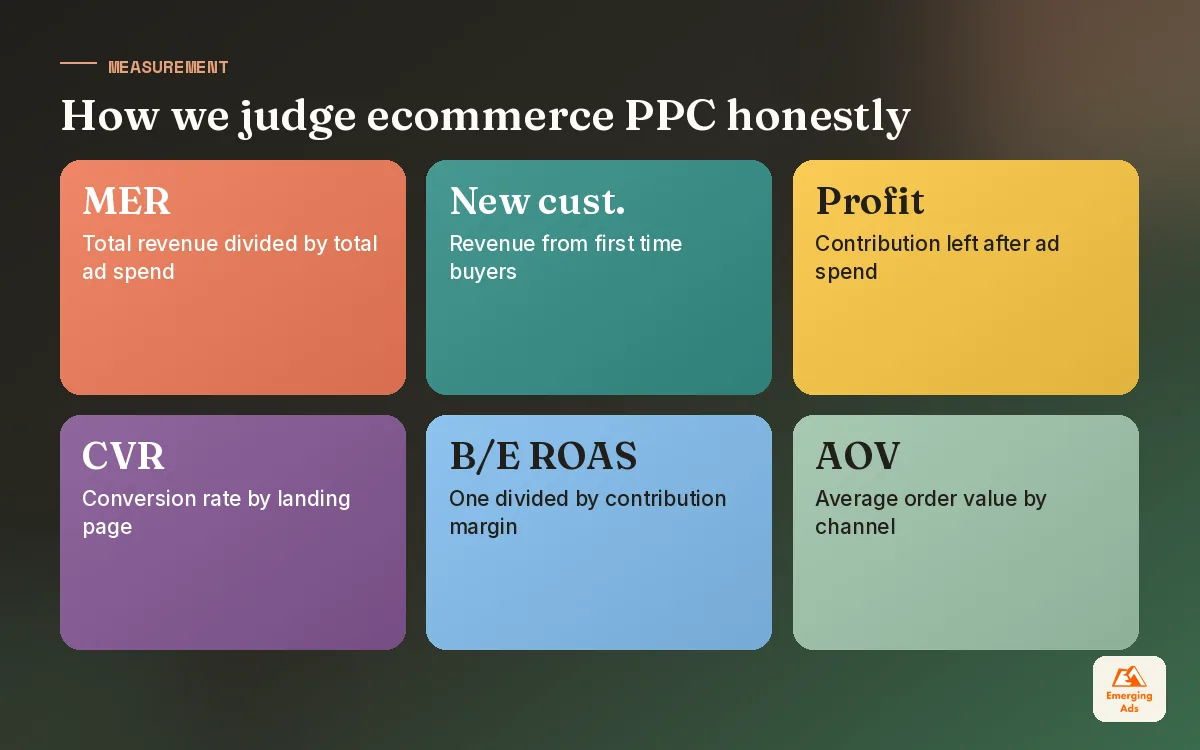
Every platform wants credit. Google, Meta and your email tool will each report the same order if they touched it, and the total will look wonderful until you compare it with your actual sales. We report on three layers: platform numbers for daily optimisation, analytics numbers for channel comparison, and store numbers for the truth.
- Blended ROAS or MER. Total revenue divided by total ad spend. Crude, but impossible to fool.
- New customer revenue. How much of the spend is finding people who have never bought before.
- Contribution after ad spend. What is left once product, delivery and advertising are paid.
- Conversion rate by landing page. Because a slow or confusing product page costs more than a bad bid.
That last point matters more than most owners expect. If your product pages load slowly on mobile or hide delivery costs until checkout, no amount of ecommerce PPC tuning will fix it. Our Shopify conversion optimisation work often does more for return on ad spend than any bid change. For a deeper look at how we think about revenue metrics on marketplaces, our piece on ACoS versus TACoS is worth a read.
The best ecommerce ad accounts are boring to look at. Clear segments, honest targets, and a feed someone actually cares about.
If you want to run it yourself, start with tracking, the feed and your break-even number, in that order. If you would rather have a team that does this every day, our Google Ads management service covers Shopping, PMax and Search, and the full list of what we run is on our services page. You can find more practical guides on the EmergingAds HQ blog.
Frequently asked questions
Straight answers to what clients ask us most about ecommerce ppc.
What is ecommerce PPC?
How much should a small online store spend on PPC?
What is a good ROAS for ecommerce?
What is POAS and should I use it?
Should I use Performance Max or standard Shopping?
How important is the product feed for ecommerce PPC?
Do I need Meta ads if Google Shopping is working?
How do I stop Performance Max spending on my brand name?
How long does it take for ecommerce PPC to become profitable?
How should I handle a big sale in my ad account?
Is retargeting worth it for online stores?
Is your ad spend chasing revenue or profit?
We will look at your feed, your channel mix and your real break-even return, then show you which products are quietly losing money. Plain findings, no sales script.
Book your free audit