Google Ads Audit in 2026: A Field Guide From Live Accounts
A Google Ads audit should end with a short list of fixes in the right order, not a 60 page PDF. This is the exact field process our team uses when a new account lands on our desk.

Key takeaways
- A good Google Ads audit starts with tracking, because every other finding depends on trustworthy conversion data.
- Score the account across six areas so you can compare it over time and explain priorities to the people who sign off budgets.
- The same handful of problems show up in most accounts: broken tracking, loose match types, weak negatives, blended brand spend and orphaned landing pages.
- Fix in order of money at risk: measurement first, then wasted spend, then structure, then creative and landing pages.
- Re-audit lightly every quarter and properly every year, or whenever the business, the offer or the team changes.
01What a Google Ads audit is really for
A Google Ads audit is a structured look at an account to answer one plain question: is this money being spent in a way that makes sense for the business? It is not a hunt for every small imperfection. We have inherited accounts with thousands of tiny issues where only five of them mattered, and we have seen tidy looking accounts that were quietly bidding on the wrong conversion for two years.
In our experience, founders ask for an audit at three moments. Performance has slipped and nobody can explain why. A new agency or in-house hire is taking over. Or the business is about to put a lot more budget behind paid search and wants to know the foundations will hold. Each of those has a slightly different emphasis, but the field process is the same, and it is the one we use on every Google Ads audit engagement we take on.
Audit versus routine optimisation
Weekly optimisation looks at movement: which search terms crept in, which ad groups dipped, where budget is pacing. An audit steps back and asks whether the account is built on the right assumptions at all. Are we measuring the right thing? Is the structure fit for the way the business sells? Does the bidding strategy have enough data to work? If the weekly rhythm described in our Google Ads management guide is the servicing, the audit is the full inspection.
02Before you open the account: the brief and the access
The biggest audit mistake we see is starting in the interface. Numbers without context are just numbers. Before we log in, we spend thirty minutes with the client on the commercial picture, because a cost per lead that looks terrible for a local plumber might be brilliant for a SaaS company with a five figure contract value.
- What the business sells and which products or services it actually wants more of right now, which is not always the same as what sells most.
- Margins or lead value. A rough figure is fine. We need to know what a sale or a qualified lead is worth.
- How leads turn into revenue. Sales cycle, close rate, and whether the CRM records the source of each deal.
- History. Who has managed the account, what changed recently, and anything that was tried and abandoned.
- Access. Admin or standard access to Google Ads, read access to GA4, Tag Manager and Merchant Center if relevant, and ideally a CRM export.
Ask for at least twelve months of data where it exists. Seasonality hides in shorter windows, and an audit that compares a quiet month to a peak month will reach the wrong conclusion. When a client runs a busy season, as many ecommerce and education accounts do, we compare like for like periods year on year.
Set the date range deliberately
We look at three windows: the last 30 days for current behaviour, the last 90 days for settled trends, and the last 12 months for seasonality and structural drift. If there was a major change in the middle, such as a site relaunch or a switch to a new bidding strategy, we split the data either side of it.
03The Google Ads audit checklist we actually use
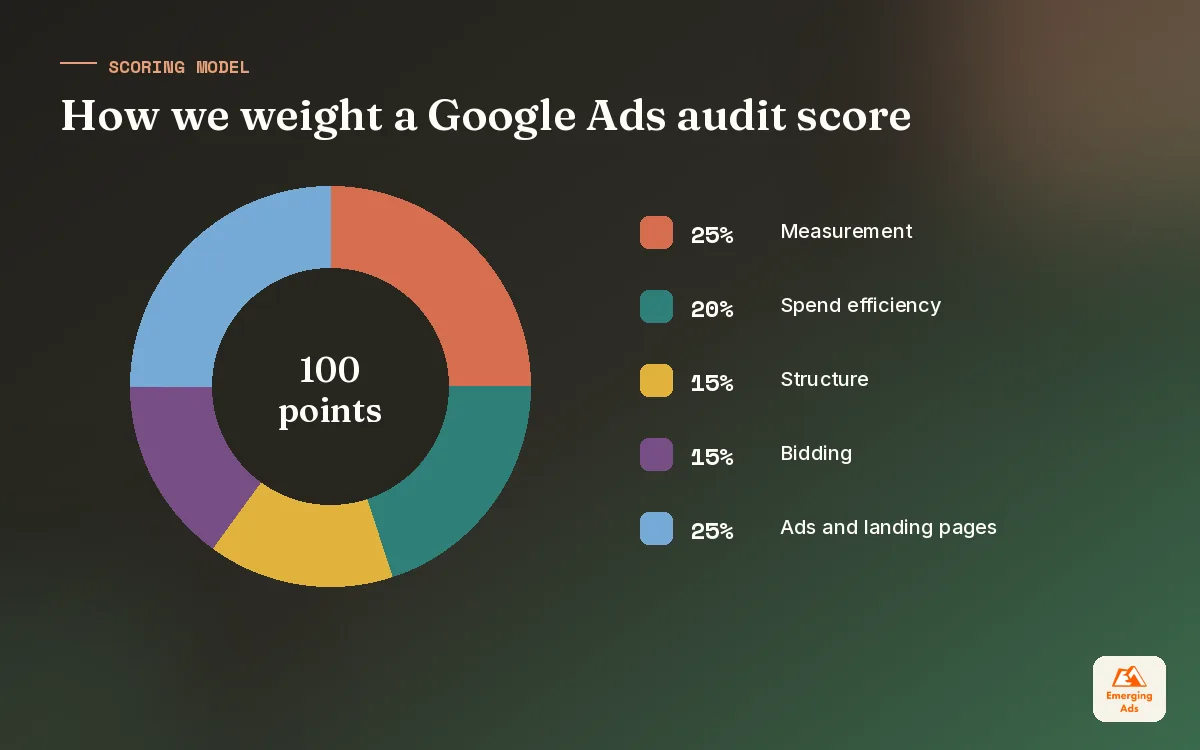
Our field checklist has six areas. Each one gets a score, and the areas are weighted by how much money they tend to put at risk. This is the order we work in, and it is deliberate: there is no point judging ad copy if the conversion data telling you which ad won is wrong.
| Area | What we check | Weight |
|---|---|---|
| 1. Measurement | Primary conversions, duplicates, values, enhanced conversions, offline imports, consent setup | 25 |
| 2. Spend efficiency | Search terms, match types, negatives, network settings, location and schedule waste | 20 |
| 3. Structure | Campaign split, brand vs non-brand, budget constraints, PMax overlap, naming | 15 |
| 4. Bidding | Strategy fit, targets vs reality, learning periods, conversion volume per campaign | 15 |
| 5. Ads and assets | RSA coverage, message relevance, sitelinks, callouts, images, policy issues | 10 |
| 6. Landing pages | Message match, speed, mobile experience, form friction, trust signals | 15 |
The weights add to 100, which makes the final score easy to read. They are our house weights rather than an industry standard, and we adjust them for the business. A lead generation account with a long sales cycle gets extra weight on measurement, because offline data is where most of its value lives.
Measurement checks in detail
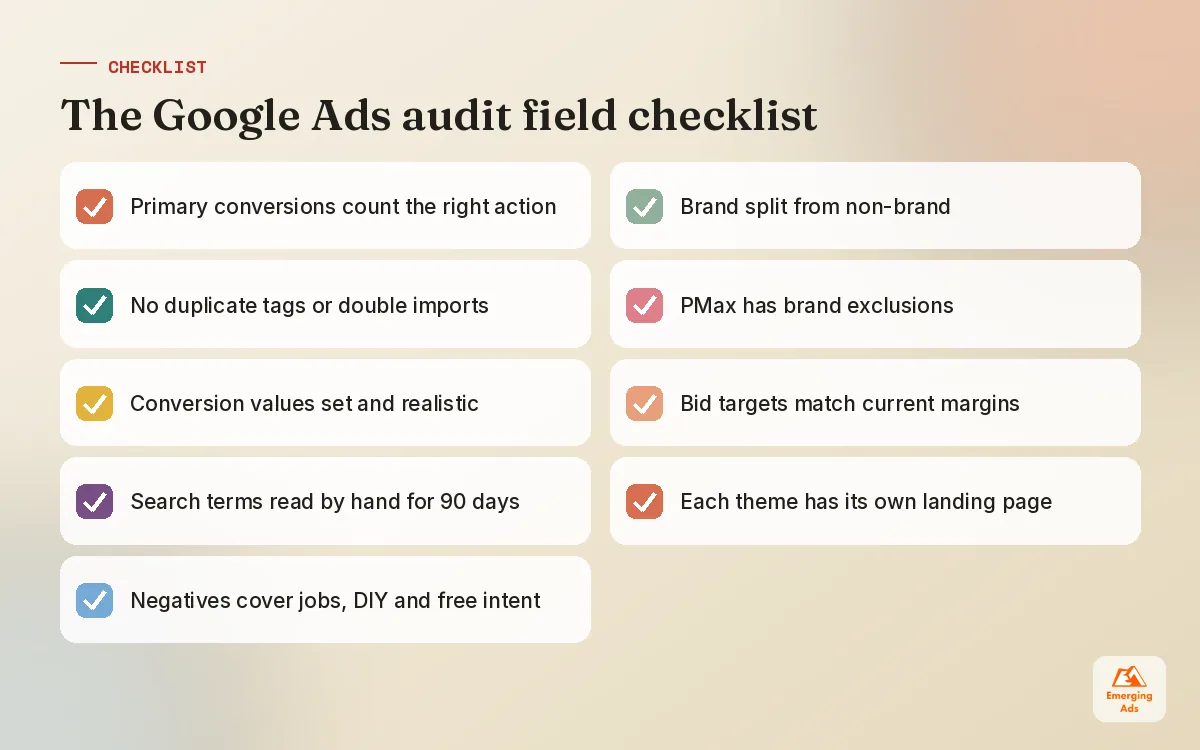
We open Goals and look at every conversion action marked as primary. The usual culprits: page views counted as conversions, both a GA4 import and a Google Ads tag counting the same purchase, a phone call action with a very short duration threshold, or an old form that no longer exists still sitting as primary. Any of these can mislead Smart Bidding, which optimises towards whatever you tell it matters.
We then check values. Ecommerce accounts should pass real transaction values. Lead accounts should at least assign different values to different lead types, because a brochure download and a demo request are not the same thing. If the account has a CRM, we ask whether qualified leads or closed deals flow back in. Full detail on the tracking side sits in our separate guide, and if it is badly broken it is usually a job for a proper conversion tracking setup before anything else.
Spend efficiency checks in detail
Here we pull the search terms report for 90 days, sort by cost, and read the top few hundred terms by hand. Scripts and filters help, but reading real queries is how you spot the pattern that a filter misses, like a law firm paying for searches from people looking for jobs at law firms. We also check the Display Network box on Search campaigns, location settings set to presence or interest, and ad schedules that ignore the hours when the phone is actually answered.
04How to score a Google Ads account
Scoring feels bureaucratic until you have to explain priorities to a finance director. A number out of 100, broken down by area, turns a vague sense that the account is messy into something people can agree on and track. We score each area from 0 to 10 and multiply by the area weight divided by 10.
| Score band | What it usually means | Typical next step |
|---|---|---|
| 80 to 100 | Healthy account, gains will come from testing and scale | Quarterly review, growth experiments |
| 60 to 79 | Sound base with clear leaks | 30 day fix plan, then optimise |
| 40 to 59 | Structural or measurement problems limiting results | Rebuild priority areas over 60 days |
| Below 40 | Data cannot be trusted or spend is largely wasted | Pause and rebuild measurement first |
Two rules keep scoring honest. First, measurement caps the total: if conversion tracking scores below 4, the whole account cannot score above 50, because nothing else can be judged reliably. Second, every point deducted needs a note and a screenshot or data reference. That makes the audit repeatable, and it stops scores being driven by the auditor’s mood.
05The findings we see in almost every Google Ads audit
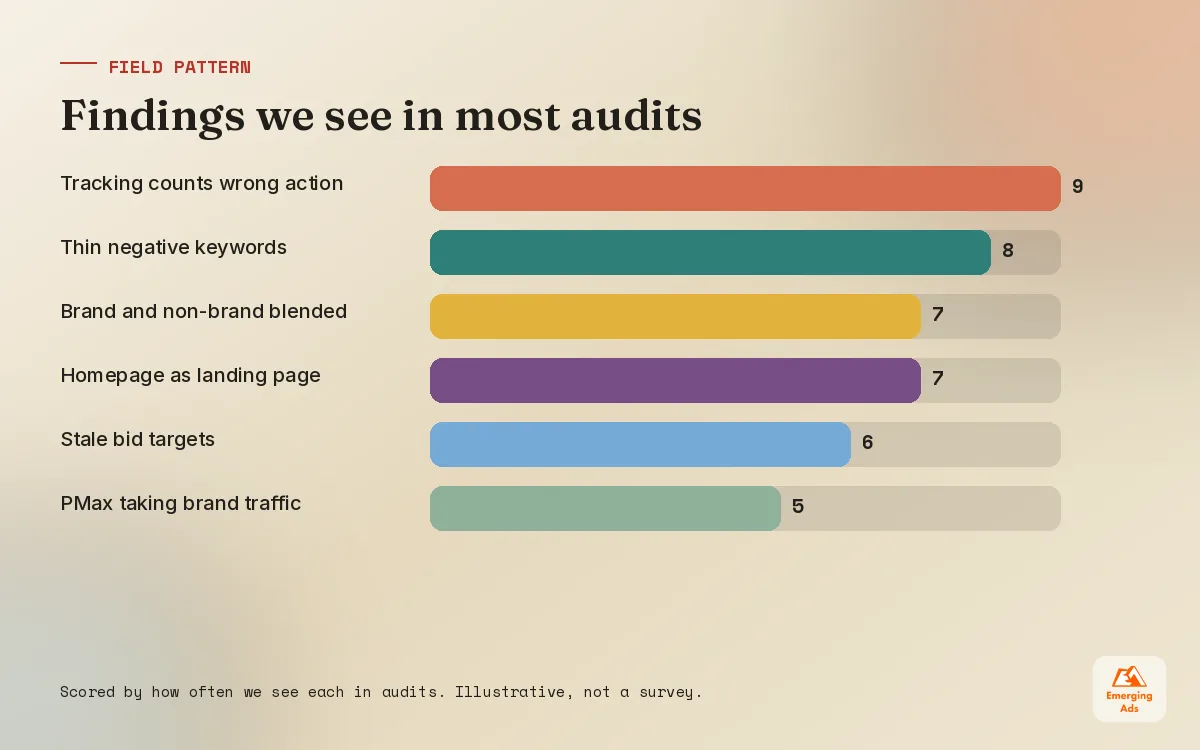
After enough audits, patterns become predictable. None of these are exotic. They are simply what happens when an account runs for a few years with different people touching it and nobody stepping back.
- Tracking that counts the wrong thing. Duplicate purchase tags, micro conversions set as primary, or no values at all.
- Broad match without guard rails. Broad match can work well with Smart Bidding and good data, but paired with weak tracking and thin negatives it becomes a budget leak.
- Brand and non-brand blended. Brand searches convert cheaply and flatter the average, hiding a non-brand campaign that is losing money.
- Performance Max eating brand traffic. Without brand exclusions or careful reporting, PMax often claims conversions that Search would have won anyway.
- Every campaign pointed at the homepage. One landing page for twelve services is a common and expensive shortcut.
- Targets nobody revisited. A Target CPA set two years ago against a different offer and a different margin.
- Assets left to rot. Sitelinks to deleted pages, outdated promotions, callouts that contradict the site.
Performance Max deserves its own mention because it now sits in so many accounts. We check whether it has brand exclusions, whether the feed is healthy, what the search term insights show, and whether Search and PMax are fighting over the same queries. Our Performance Max guide goes deeper on how it allocates budget, and if the audit shows it is the main problem, a focused Performance Max management review usually pays for itself quickly.
Most accounts are not badly built. They are built for a business that no longer exists.
Findings specific to ecommerce
For retailers we add a feed review: disapproved products, missing GTINs, weak titles, and products with high spend and no sales. Product titles written for the warehouse rather than the shopper are one of the most common reasons Shopping traffic stays low quality. If that part of the audit scores badly, Google Shopping ads management with a proper feed plan is normally the first project.
06What to fix first: a priority order that protects the budget
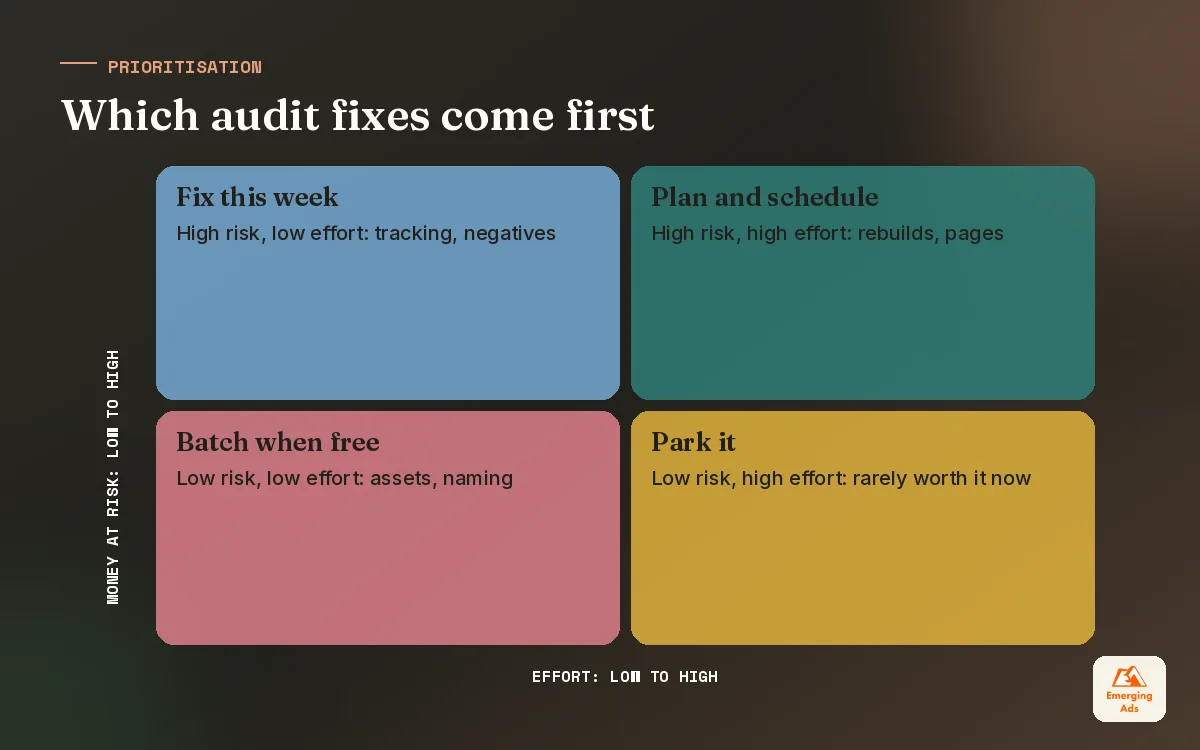
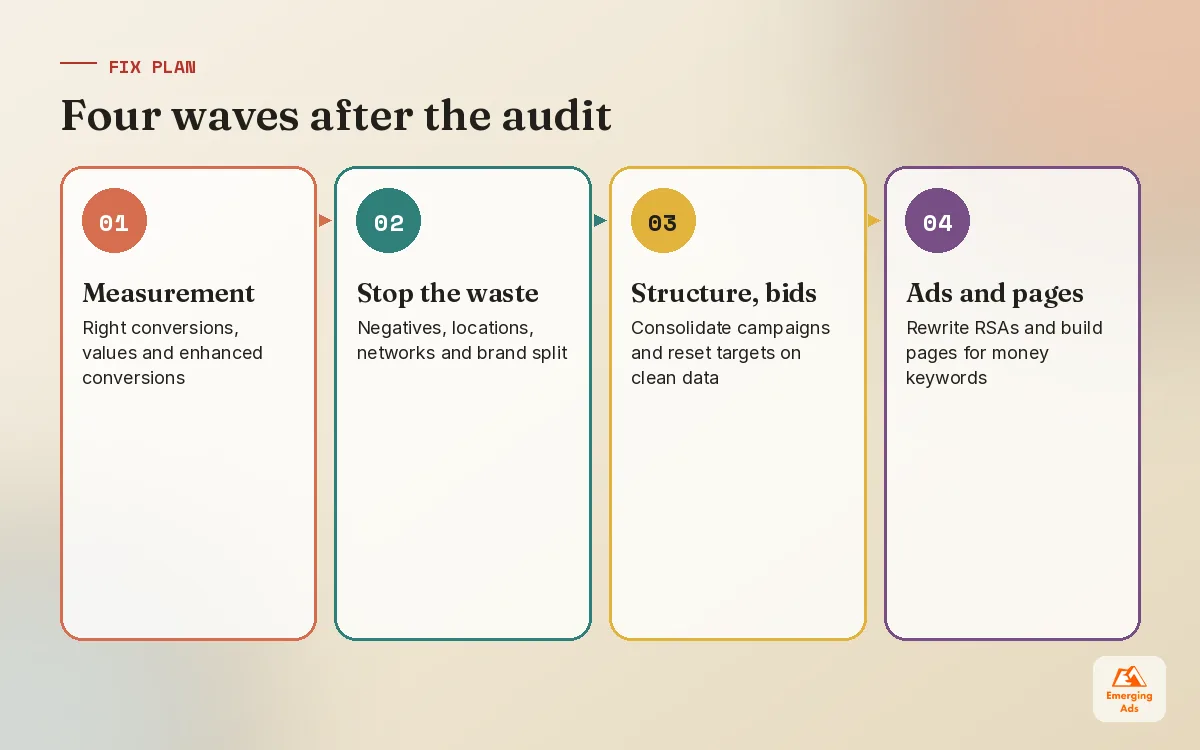
A list of forty findings is not a plan. The order you fix things in matters as much as the fixes themselves, because some changes reset bidding algorithms and others depend on data that does not exist yet. We rank every finding by money at risk and effort, then work through them in four waves.
Wave 1: measurement (week 1 to 2)
Correct primary conversions, remove duplicates, set values and switch on enhanced conversions where the site supports it. Expect reported numbers to change, sometimes sharply. That is the point. Warn stakeholders before you do it so a sudden drop in reported conversions is not mistaken for a drop in real sales.
Wave 2: stop the obvious waste (week 1 to 3)
Add negatives from the search term review, tighten locations, exclude irrelevant placements, split out brand. These changes are low risk and usually free up budget within days, which buys goodwill for the slower work.
Wave 3: structure and bidding (week 3 to 8)
Consolidate thin campaigns so Smart Bidding has enough data, reset targets based on the corrected conversion data, and separate campaigns where genuinely different margins or goals are sharing a budget. Structure work on Search often goes alongside fresh keyword research, because the old keyword list is usually part of what went wrong. We make these changes one campaign at a time and leave each one to settle, rather than rebuilding everything on the same Monday.
Wave 4: ads and landing pages (week 4 onwards)
Once the data can be trusted, creative testing becomes meaningful. Rewrite RSAs around the angles that actually convert and build dedicated landing pages for the biggest money keywords. In lead generation accounts, a dedicated page from our landing page design team often moves conversion rate more than any bid change we could make.
| Finding | Money at risk | Effort | Wave |
|---|---|---|---|
| Duplicate purchase conversion | High | Low | 1 |
| No brand vs non-brand split | Medium | Low | 2 |
| Irrelevant search terms, no negatives | High | Low | 2 |
| Target CPA set against old data | High | Medium | 3 |
| Homepage used for every campaign | Medium | High | 4 |
07Turning audit findings into a report people act on
A good audit report is short at the front and detailed at the back. The first page should fit on a screen: the overall score, the score by area, the five fixes that matter most and what we expect each to change. Everything else, the screenshots, the search term lists and the settings exports, goes into an appendix for whoever does the work.
- Write findings as decisions. Not “negative keyword coverage is limited” but “add these 140 negatives to stop spend on job seekers and DIY searches”.
- Separate fact from judgement. What the data shows, then what we think it means, then what we recommend.
- Name the owner. Some fixes sit with the agency, some with the web developer, some with the sales team.
- Give a re-check date. Every fix needs a moment when someone looks again and confirms it worked.
We keep the scores in a simple tracker so the next audit can show progress. For clients who want to watch this weekly, a Looker Studio dashboard that pulls Google Ads and CRM data into one view makes the before and after visible without anyone exporting spreadsheets.
Using competitor context without getting distracted
Auction insights tell you who you meet in the auction and how often. That is useful context, but we treat it with care. Chasing a competitor’s impression share is rarely a good reason to raise bids. We sometimes pair it with a quick look through a tool like SpyFu competitor research to see which terms rivals have bid on for a long time, since long-running keywords usually signal something that works for them.
08How often to audit, and when to call for outside help
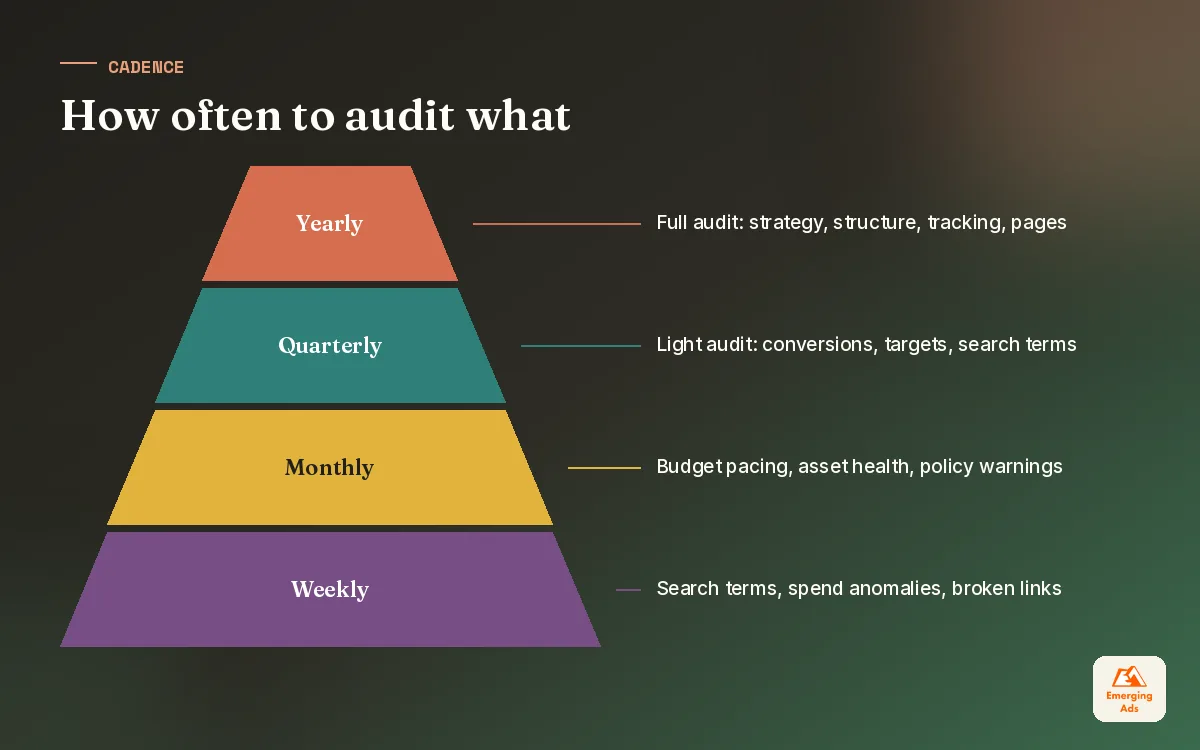
We recommend a light audit every quarter, which takes a few hours and covers measurement, search terms and bidding targets, and a full audit every year. Beyond that, audit whenever something significant changes: a new website, a new offer, a new market, or a new person running the account.
You can run much of this yourself with the checklist above. Where an outside audit earns its fee is the judgement: knowing which of the forty findings actually matter, and having seen the same pattern play out across many accounts. We are happy to share what we find either way, and the broader thinking on cadence across platforms sits in our PPC management guide.
If your account is in the 40 to 60 band and you do not have the time to work through the waves yourself, that is usually where our Google Search ads management team steps in. For businesses running several channels, the full list of what we do is on our services page. You will also find more field notes like this one on the EmergingAds HQ blog homepage.
Frequently asked questions
Straight answers to what clients ask us most about google ads audit.
What is a Google Ads audit?
How long does a Google Ads audit take?
How much does a Google Ads audit cost?
What should be on a Google Ads audit checklist?
Can I audit my own Google Ads account?
How often should a Google Ads account be audited?
What is the most common problem found in Google Ads audits?
Will fixing audit findings reduce my reported conversions?
Should I pause campaigns during a Google Ads audit?
Does a Google Ads audit include Performance Max campaigns?
What is a good Google Ads audit score?
Want a second pair of eyes on your Google Ads account?
We will run the same field audit described here on your account and send back a scored report with the first five fixes in priority order. No obligation, no jargon.
Book your free audit