The Practical Google Ads Conversion Tracking Guide We Hand to New Clients
Every bid Google makes on your behalf is only as good as the conversions you feed it. This is the tracking setup we build for new clients, written so a founder can follow it and a developer can implement it.
Key takeaways
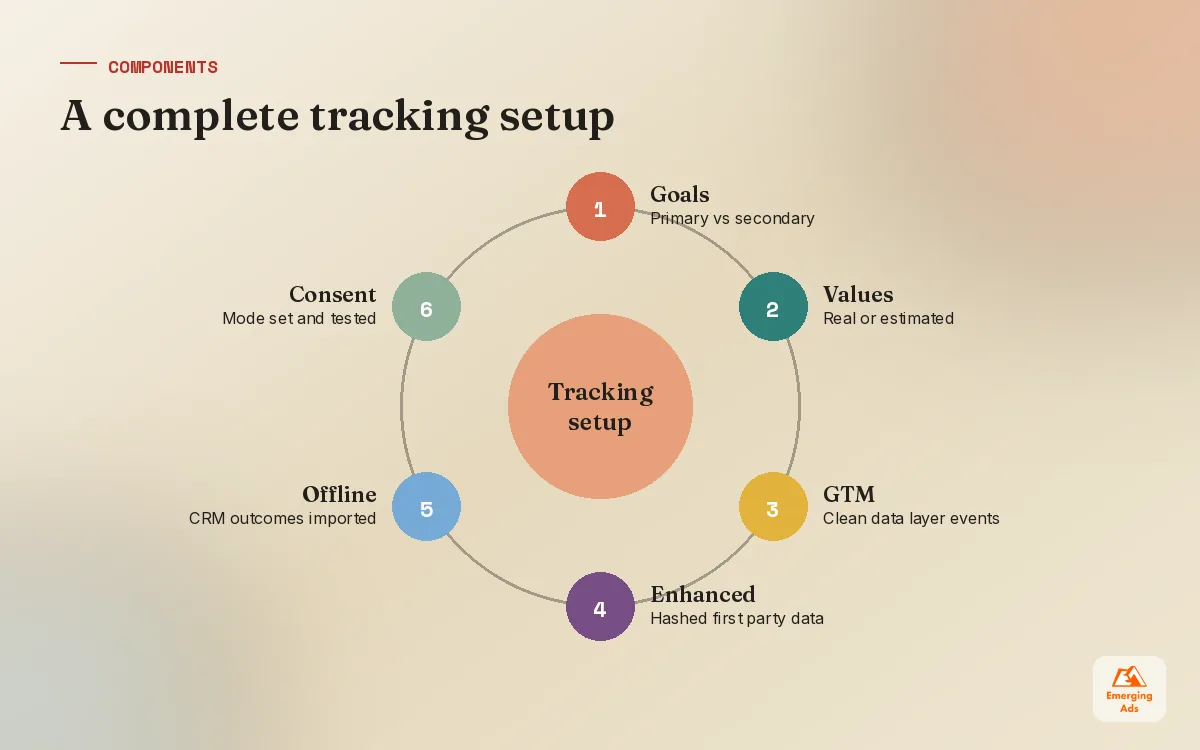
- Google Ads conversion tracking is the steering wheel for Smart Bidding, so decide what counts as a conversion before you build anything.
- Pick one source of truth per conversion: either the Google Ads tag or a GA4 import as primary, never both counting the same action.
- Enhanced conversions and offline imports close the gaps that cookies and long sales cycles leave behind.
- Consent mode and values are not optional extras; they decide how much data Google can model and what the algorithm optimises for.
- Test every conversion end to end after launch and after every site change, because tracking breaks quietly.
01Why Google Ads conversion tracking decides your results
Google Ads conversion tracking is how you tell Google which clicks turned into something valuable. That sounds like a reporting job, and it is, but in a modern account it is mostly a steering job. Smart Bidding strategies such as Maximise Conversions, Target CPA and Target ROAS optimise towards whatever you have marked as a primary conversion. Feed it the wrong signal and the algorithm will get very good at producing the wrong result.
We see this in almost every account we inherit. A clinic counting clicks on the phone number as leads. A SaaS company counting every free signup the same as a demo request. An online shop with the purchase tag firing twice. In each case the reports looked healthy while the business felt something was off. When we run a full review, as described in our Google Ads audit guide, measurement is always the first area we score, because nothing else can be judged until it is right.
What good tracking looks like
- One clear primary goal per campaign type, matched to what the business actually earns money from.
- Real values on every conversion, even if they are estimates for leads.
- No double counting between Google Ads tags, GA4 imports and third party tools.
- Gaps closed with enhanced conversions and, for lead businesses, offline imports from the CRM.
- Consent handled properly so tracking stays compliant and modelled data can fill the holes.
02Decide what to track before you build anything
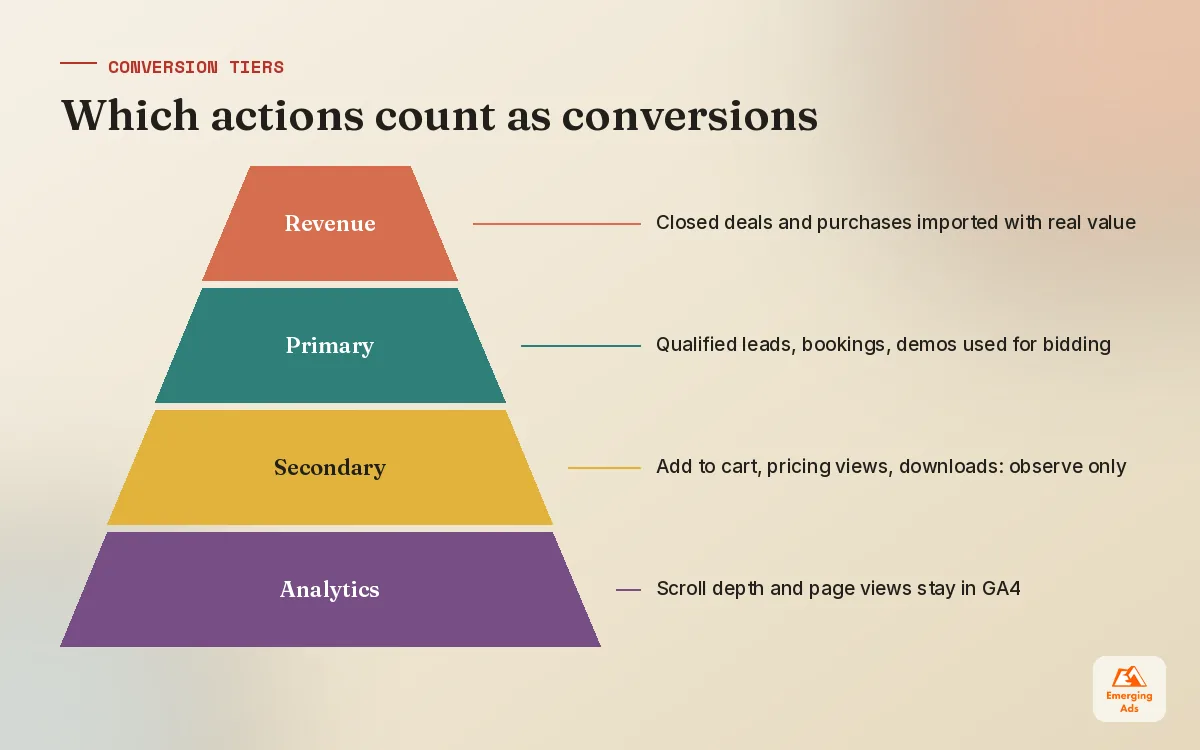
Most tracking problems are decisions problems in disguise. Someone added every possible action as a conversion because more data felt safer. The result is an account optimising towards scroll depth and brochure downloads. We map conversions into three tiers before any implementation work starts.
| Tier | Examples | Setting in Google Ads |
|---|---|---|
| Primary: money | Purchase, booked appointment, qualified lead, demo request | Primary, used for bidding, with value |
| Secondary: intent | Add to cart, start checkout, pricing page view, brochure download | Secondary, observed only |
| Not tracked in Ads | Scroll depth, time on site, generic page views | Leave in GA4 for analysis |
Secondary conversions are still useful. They show up in reports, they help diagnose where people drop off, and they can be promoted to primary later if a campaign needs a softer goal to gather data. But only the money tier should drive bidding in most accounts.
Values: estimate rather than leave blank
Ecommerce accounts should pass the real order value dynamically. Lead generation accounts need a little more thought. We work backwards from average deal size and close rate: if a qualified lead closes one time in five and the average deal is worth a certain amount, the lead is worth roughly a fifth of that. It does not need to be perfect. It needs to be proportionate, so a demo request is valued above a newsletter signup. For businesses where this is the main growth lever, our Google Ads lead generation team builds the value model with the sales team rather than guessing it.
03Google Ads tag, GA4 import, or both?
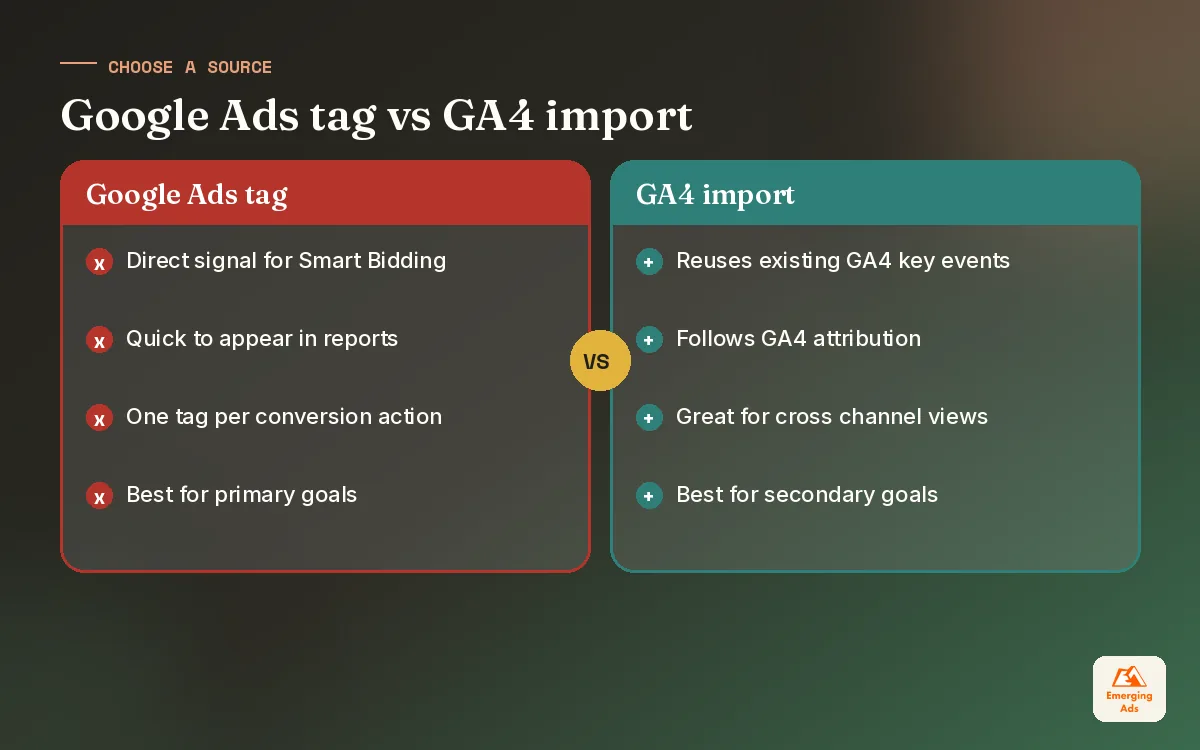
There are two main ways to get conversions into Google Ads. You can fire the Google Ads conversion tag directly on the site, or you can mark a key event in GA4 and import it into Google Ads. Both work. The trouble starts when an account has both set up for the same action and both marked as primary, which doubles every conversion.
| Google Ads tag | GA4 import | |
|---|---|---|
| Speed of data | Usually faster to appear in Ads | Can take longer to show in Ads |
| Attribution | Uses Google Ads attribution for Ads clicks | Follows GA4 settings and model |
| Enhanced conversions | Supported directly | Supported through GA4 user data settings |
| Setup effort | Separate tag per conversion action | Reuses events you already track in GA4 |
| Best for | Primary bidding conversions | Secondary and cross channel analysis |
Our default for most clients is the Google Ads tag, deployed through Google Tag Manager, for primary conversions, with GA4 used for analysis and secondary goals. That keeps the bidding signal clean and quick. Where a client’s analytics setup is already excellent and the team lives in GA4, importing can be simpler to maintain. Either way, pick one source per action and write the choice down. If GA4 itself is a mess, a proper GA4 setup is usually the foundation to fix first.
04Setting up Google Ads conversion tracking with Google Tag Manager
We deploy nearly all tracking through Google Tag Manager. It keeps tags in one place, gives you version history, and means marketing can make changes without waiting for a developer release. The core setup looks like this.
- Install the Google tag on every page, either through GTM or the site platform, with the conversion linker enabled so click identifiers are stored.
- Create the conversion actions in Google Ads with the right category, count setting (one per click for leads, every for purchases) and value rules.
- Build a data layer so the site pushes clean events such as purchase or generate_lead with value, currency and a transaction ID.
- Add a Google Ads conversion tag in GTM for each primary action, triggered by the data layer event rather than a URL where possible.
- Pass a transaction ID on purchases so refreshes and repeat thank you page visits are deduplicated.
- Preview, test and publish, then check the conversion action status in Google Ads over the next day or two.
Why we avoid thank you page URL triggers
Triggering on a thank you page URL is the most common setup and the most fragile. People bookmark it, refresh it, or land on it from an email. Forms get embedded in pop ups that never change the URL. Event based triggers from the data layer are more work up front and far more reliable. Our Google Tag Manager setup work is mostly this: replacing brittle triggers with clean events the whole marketing stack can use, including Meta, where the same events feed a Meta Pixel and CAPI setup.
05Enhanced conversions and offline conversions
Browser restrictions, ad blockers and consent choices mean some conversions never get matched back to an ad click. Two features help close that gap, and in accounts we manage they are now part of the standard build rather than an advanced extra.
Enhanced conversions
Enhanced conversions send hashed first party data, such as the email address entered at checkout or on a lead form, alongside the conversion. Google uses it to match the conversion to a signed in user who clicked an ad. It can be set up through GTM, through the Google tag, or through the API. The key is making sure the right field is captured on the right page, and that your privacy policy and consent flow cover it.
Offline conversion imports
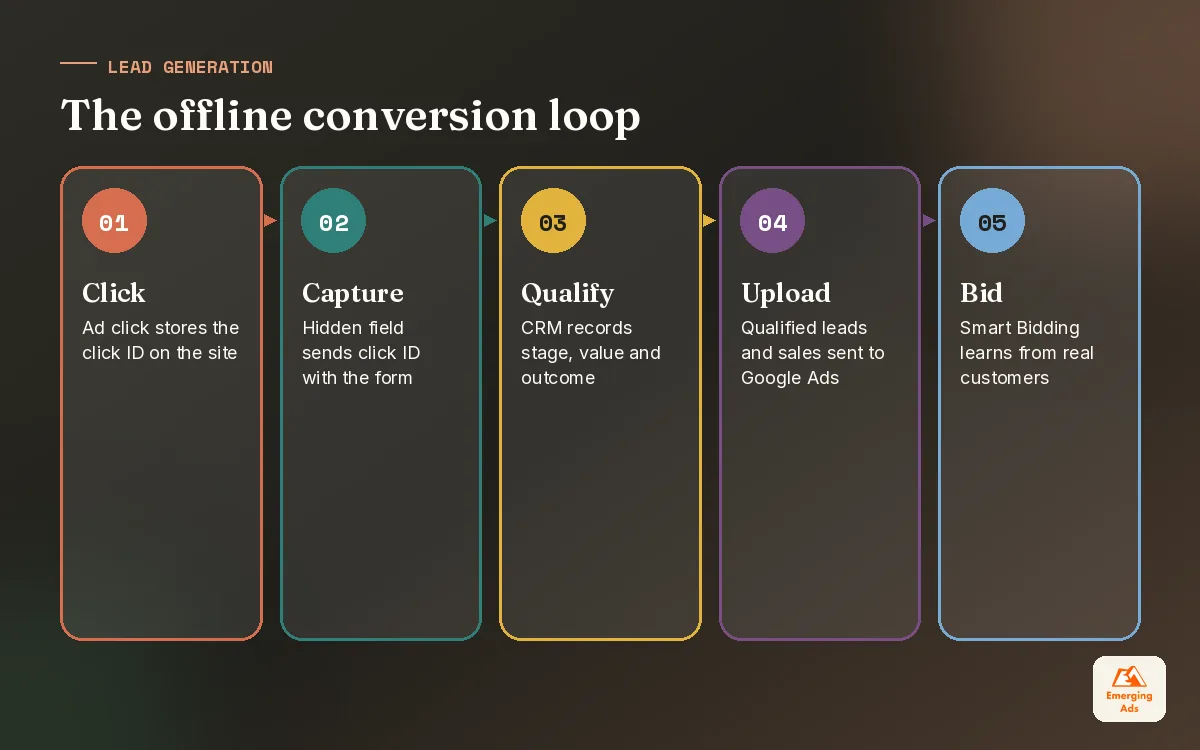
For lead generation, the form fill is only the start. What matters is whether the lead became a customer. Offline conversion imports let you send that outcome back to Google Ads. The basic pattern is to capture the click ID (GCLID, and related identifiers) in a hidden form field, store it against the lead in the CRM, then upload the conversion when the deal reaches a stage you care about. Enhanced conversions for leads offers a variant that matches on hashed contact details instead of a stored click ID.
Once qualified leads flow back, you can bid towards them rather than raw form fills. That single change has done more for B2B accounts we manage than almost any bidding or keyword work. The plumbing usually needs a CRM connection, which is where our CRM automation setup and HubSpot CRM work comes in.
| Business type | Primary signal to bid on | What to import offline |
|---|---|---|
| Ecommerce | Purchase with order value | Refunds or margin adjustments where available |
| B2B and SaaS | Qualified lead or booked demo | Opportunity created, deal won with value |
| Local services | Booked job or call over a set length | Job completed with invoice value |
| Clinics and education | Booked consultation or application | Attended appointment, enrolment |
06Consent mode, privacy and modelled conversions
In markets with consent rules, such as the UK and the EU, tracking has to respect the visitor’s choice. Consent mode passes that choice to Google tags, so they adjust how they behave. When consent is denied, tags do not set advertising cookies, and Google can use modelling to estimate conversions that could not be observed directly.
We keep our advice here general because the rules and the product both change. The practical points that hold up: use a proper consent management platform, make sure it actually integrates with consent mode rather than just showing a banner, check that tags wait for the consent state before firing, and test both the accepted and rejected paths. We regularly find banners that look compliant while tags fire before anyone clicks anything, or the opposite, banners that block everything even after consent is given.
- Test with consent denied. Tags should not set ad cookies, but consent pings should still be sent if you use advanced mode.
- Test with consent granted. Conversions should fire normally and appear in Google Ads.
- Check the region settings so defaults match the markets you actually serve.
- Get legal sign off on what you collect, especially for enhanced conversions.
Tracking that breaks the law is not tracking. It is a liability with a reporting dashboard attached.
For clients with complicated stacks, several domains, or server side tagging needs, this sits inside our advanced website tracking service, because the edge cases are where most of the risk lives.
07Attribution, counting and the settings people forget
Once conversions are firing, a handful of settings decide how they are counted. These are rarely looked at after setup and often explain why Google Ads and GA4 or the CRM disagree.
| Setting | What it controls | Our usual choice |
|---|---|---|
| Count | One or every conversion per click | One for leads, every for purchases |
| Click-through window | How long after a click a conversion counts | Match the real buying cycle |
| Attribution model | How credit is shared across clicks | Data-driven where available |
| Include in conversions | Whether the action is used for bidding | Only money tier actions |
| Value rules | Adjust value by location, device or audience | Only with evidence to back it |
Expect Google Ads, GA4 and your CRM to show different numbers. They use different attribution models, time zones, windows and deduplication rules. The goal is not identical numbers. It is understanding why they differ and making sure the gap is stable. When a client needs a single agreed view across channels, attribution modelling work helps settle which source the business will trust for which decision.
Ecommerce clients have extra considerations: cart data, new versus returning customer values, and the difference between revenue and profit. We cover the profit side in our ecommerce PPC guide, because bidding towards revenue on low margin products is a classic way to grow sales and shrink profit.
08Testing, monitoring and keeping tracking healthy
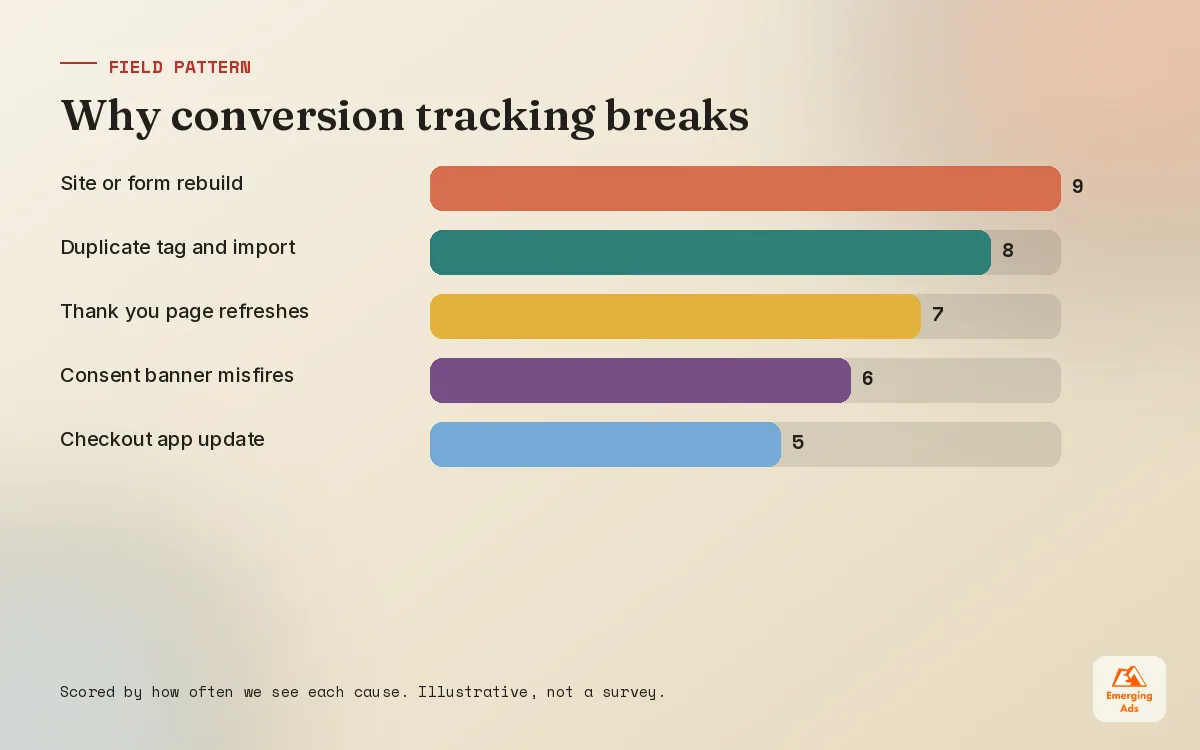
Tracking is not a one time build. Websites change, forms get replaced, checkout apps update, and a developer removes a script they did not recognise. Most of the broken tracking we find was working perfectly at some point. So we treat testing as part of the setup and monitoring as part of management.
How we test a new setup
- Use GTM preview mode and Tag Assistant to confirm each tag fires once, on the right event, with the right value and ID.
- Complete a real test conversion on desktop and mobile, with consent accepted and rejected.
- Check the conversion action diagnostics in Google Ads over the following days, including enhanced conversions coverage.
- Compare Google Ads conversions with backend orders or CRM leads for the same period and explain the gap.
How we monitor it after launch
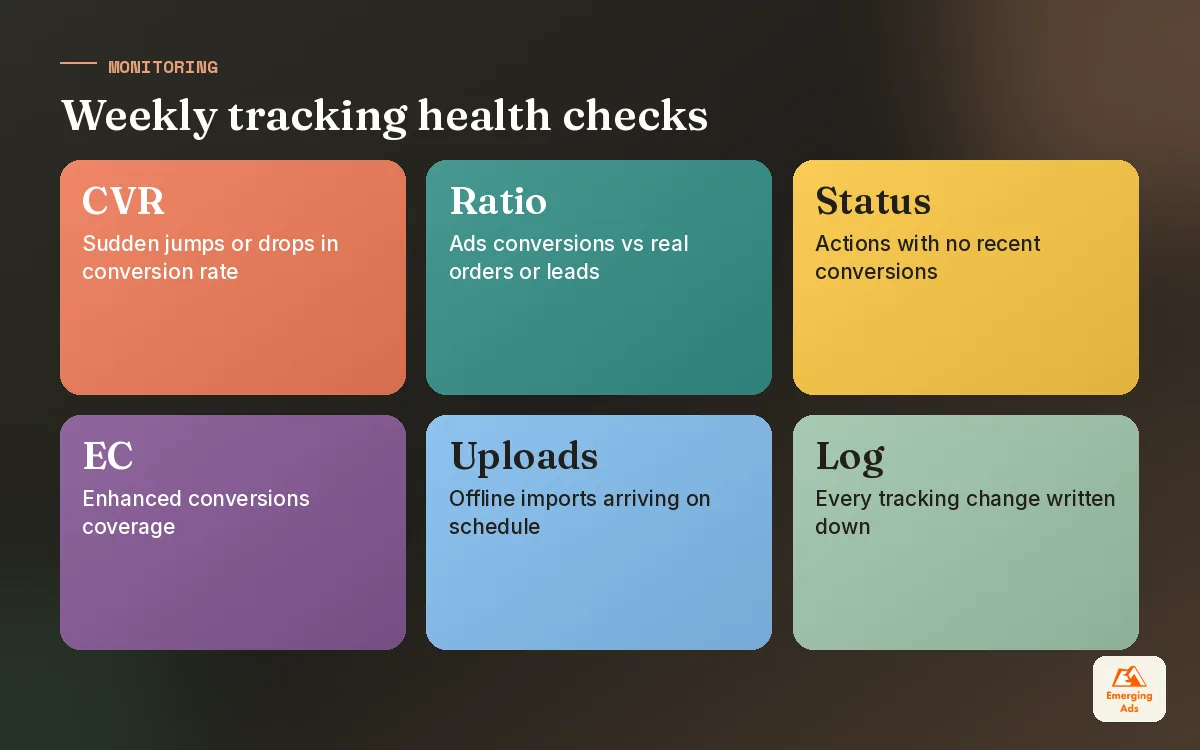
We watch for sudden drops or spikes in conversion rate, conversion actions showing no recent conversions, and changes in the ratio between Ads conversions and real orders. A weekly glance catches most problems before Smart Bidding has spent a fortnight learning from bad data. It helps to write every tracking change into a simple log, so when numbers move you know whether the account or the measurement changed.
If you want the whole thing built or repaired properly, our conversion tracking setup service covers the audit, the GTM build, enhanced and offline conversions and testing, and it works alongside the day to day account management described in our Google Ads management guide. More guides from the team are on the EmergingAds HQ homepage.
Frequently asked questions
Straight answers to what clients ask us most about google ads conversion tracking.
What is Google Ads conversion tracking?
Should I use the Google Ads tag or import conversions from GA4?
Why are my Google Ads conversions higher than my actual sales?
What are enhanced conversions in Google Ads?
How do offline conversions work in Google Ads?
Do I need Google Tag Manager for conversion tracking?
What is consent mode and do I need it?
What value should I give a lead conversion?
How long does it take for conversions to show in Google Ads?
Why do Google Ads and GA4 show different conversion numbers?
How often should I check my conversion tracking?
Not sure your Google Ads conversions are telling the truth?
We will check your tags, GA4 imports and conversion settings and show you exactly what is being counted, what is missing and what to fix first.
Book your free audit