Google Shopping Ads in 2026: The Complete Guide From Live Accounts
Google Shopping ads are won or lost in the product feed long before anyone touches a bid. This guide covers how we set up, segment and bid Shopping for ecommerce brands, so budget follows profit rather than revenue.

Key takeaways
- Google Shopping ads are built from your product feed, so feed quality sets the ceiling on performance.
- A clean Merchant Center with no lingering disapprovals is the unglamorous first win in almost every account we inherit.
- Titles, images, price and product identifiers do most of the heavy lifting; fix them before you touch bids.
- Standard Shopping and Performance Max each have a place; the right mix depends on how much control and data you have.
- Bid by margin, not by revenue: a flat ROAS target across products with very different margins rewards the wrong items.
01How Google Shopping ads work, and why the feed is the ad
Google Shopping ads show a product image, title, price and store name directly in search results and on the Shopping tab. You do not write them the way you write a text ad, and you do not choose keywords. Google reads your product feed, decides which searches each product is relevant for, and builds the ad from the data you supplied. That single fact changes how you should think about the whole channel.
With Search ads, you control the words. With Shopping, the feed controls the words. A vague product title, a poor image or a missing identifier limits which searches your products can appear for, and no amount of bid tweaking fixes that. In accounts we take over, the first month of improvement almost always comes from the feed and Merchant Center, not the campaigns.
Who Shopping suits best
Shopping works best for brands with a real catalogue, clear pricing and products people search for by type, brand or model. Fashion, home, beauty, electronics, sports and spare parts all tend to do well. Very high priced, made-to-order or heavily configurable products are harder, because a single price and image cannot capture the offer. For those, Search ads with a strong landing page often carry more of the load, and our Google Search ads guide covers that side.
02Google Merchant Center setup that does not break in month three
Merchant Center is where your feed lives, where Google checks your products against its policies, and where most Shopping problems first show up. A lot of stores get it working once, then drift: a theme update breaks structured data, a new app changes prices, shipping settings no longer match checkout, and products start dropping out without anyone noticing.
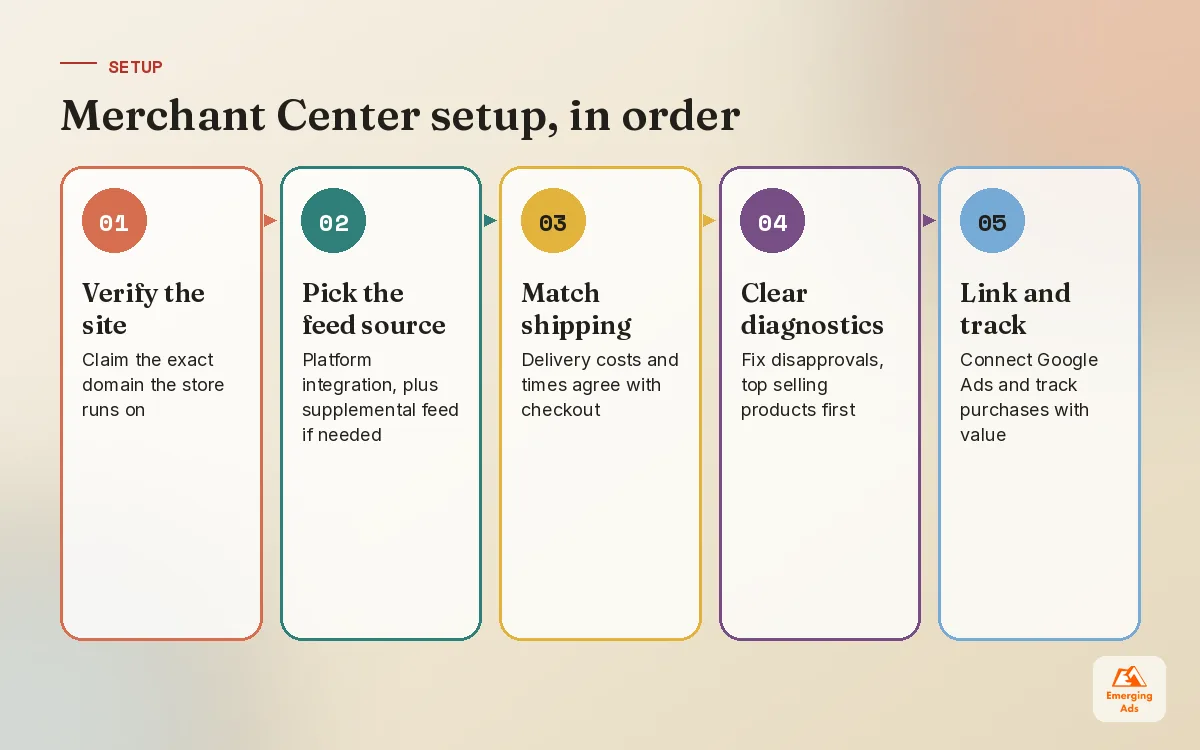
- Verify and claim the website. Make sure the domain in Merchant Center matches the live store exactly.
- Choose the feed source. A platform integration for Shopify or WooCommerce is fine for most stores; a supplemental feed or feed tool helps when you need to rewrite titles or add custom labels at scale.
- Match shipping and returns to checkout. Prices, delivery costs and times shown in ads must agree with what the customer sees on the site.
- Clear the diagnostics tab. Work through disapprovals and warnings, starting with the products that sell most.
- Link Google Ads and set up conversion tracking. Purchases with accurate values, ideally with cart data where your setup supports it.
For Shopify brands, our Shopify ecommerce marketing team usually starts with the sales channel settings and product data inside the store, because fixing data at the source beats patching it in the feed forever. WooCommerce stores need a bit more care with plugins and structured data, which is why our WooCommerce marketing setup includes a feed and tracking check before any campaigns go live.
03Google Shopping ads feed optimisation: the attributes that move results
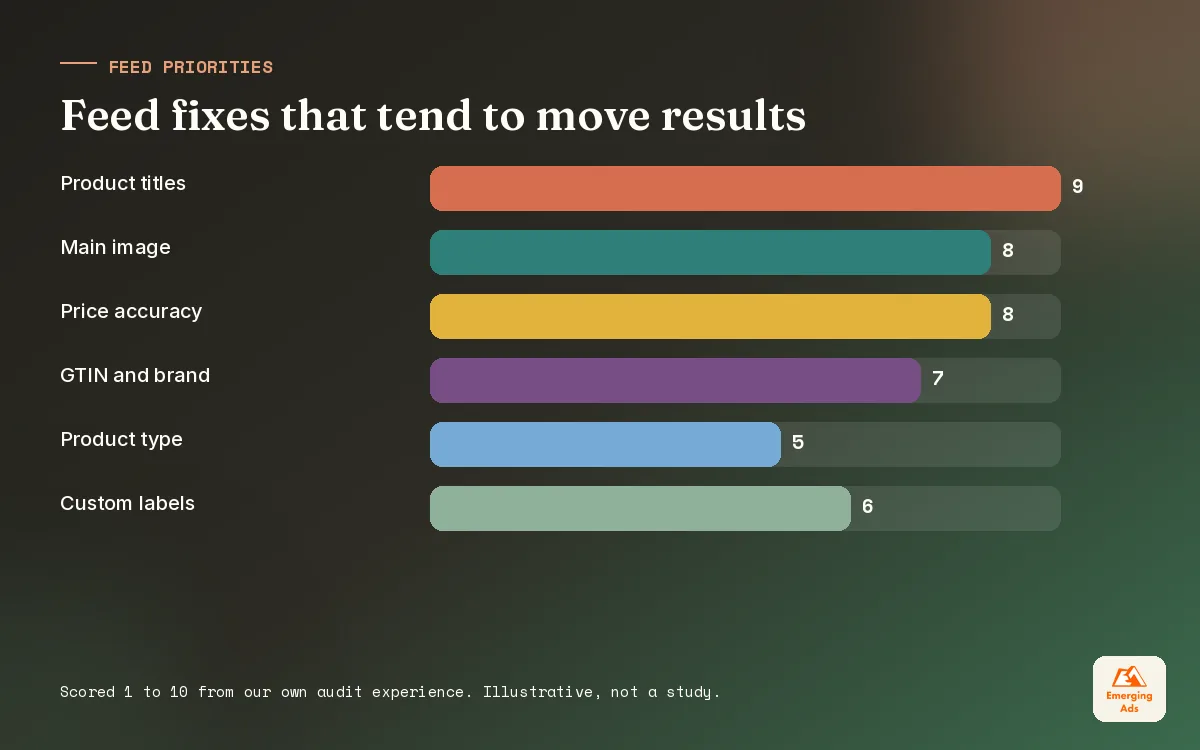
Not every feed attribute matters equally. Some decide whether a product can show at all, some decide which searches it matches, and some decide whether anyone clicks. We work through them in roughly that order, starting with the best-selling products, because improving the top slice of the catalogue shifts results far faster than perfecting every item.
| Attribute | Why it matters | What we change |
|---|---|---|
| Title | Main signal for which searches the product matches | Front-load product type, brand and key attributes buyers search for |
| Image | Decides whether people notice and click | Clean main image, product clearly visible, no promotional overlays |
| Price and sale price | Shoppers compare side by side | Keep it matching the site, use sale price for real promotions |
| GTIN, brand, MPN | Helps Google match products to searches and listings | Supply real identifiers wherever the product has them |
| Product type and category | Organises the catalogue and your reporting | Clear, consistent hierarchy you can segment by |
| Custom labels | Lets you split campaigns by your own rules | Margin band, best seller, seasonal, clearance |
Titles: the one change we make in almost every account
Store product names are written for people already on the site. “The Harper” is a lovely name for a sofa, but nobody searches for it. A feed title such as “Harper 3 Seater Sofa, Velvet, Forest Green” matches the way people actually shop. We lead with what the product is, then brand where it carries weight, then the attributes buyers filter by: size, colour, material, model, pack size. Titles can run long, but the first few words carry most of the weight because that is what shows in the ad.
We test title changes on a group of products rather than the whole feed at once, then compare impressions and clicks over a few weeks against a similar group we left alone. It is not a perfect experiment, but it keeps us honest about what actually helped.
04Standard Shopping vs Performance Max: how we choose and run both
Performance Max can show your products across Shopping, Search, YouTube, Display, Gmail and Discover from one campaign. Standard Shopping shows products in Shopping placements only, but gives you search term visibility, negative keywords and campaign priorities. Neither is automatically better. The right answer depends on your data, your catalogue and how much control you need. Our Performance Max guide goes deep on how PMax allocates budget; here we focus on the choice between them.
| Situation | What we usually run | Why |
|---|---|---|
| New store, few conversions so far | Standard Shopping first | Clearer data, tighter control while tracking and feed settle |
| Established store, steady purchase volume | Performance Max with feed-led asset groups | Enough data for automated bidding to find buyers across inventory |
| Wasted spend on irrelevant searches | Standard Shopping for the affected products | Negative keywords and full search term review |
| Top sellers need protecting or testing | Standard Shopping alongside PMax | Isolate products, compare results, keep a control |
| Brand-heavy traffic inflating results | Either, with brand exclusions and separate brand Search | Stop branded demand flattering the numbers |
When both campaign types include the same products, how Google chooses between them has changed over the years, so we do not assume. We check which campaign is actually serving each product and whether the split makes sense. If you want a team to make that call on your account, our Performance Max management and Google Shopping ads management services are run by the same people, which avoids two campaigns competing for the same shopper.
Automation is a good employee and a poor manager. Give it clean data and clear goals, then check its work every week.
05Product segmentation: custom labels and campaign splits
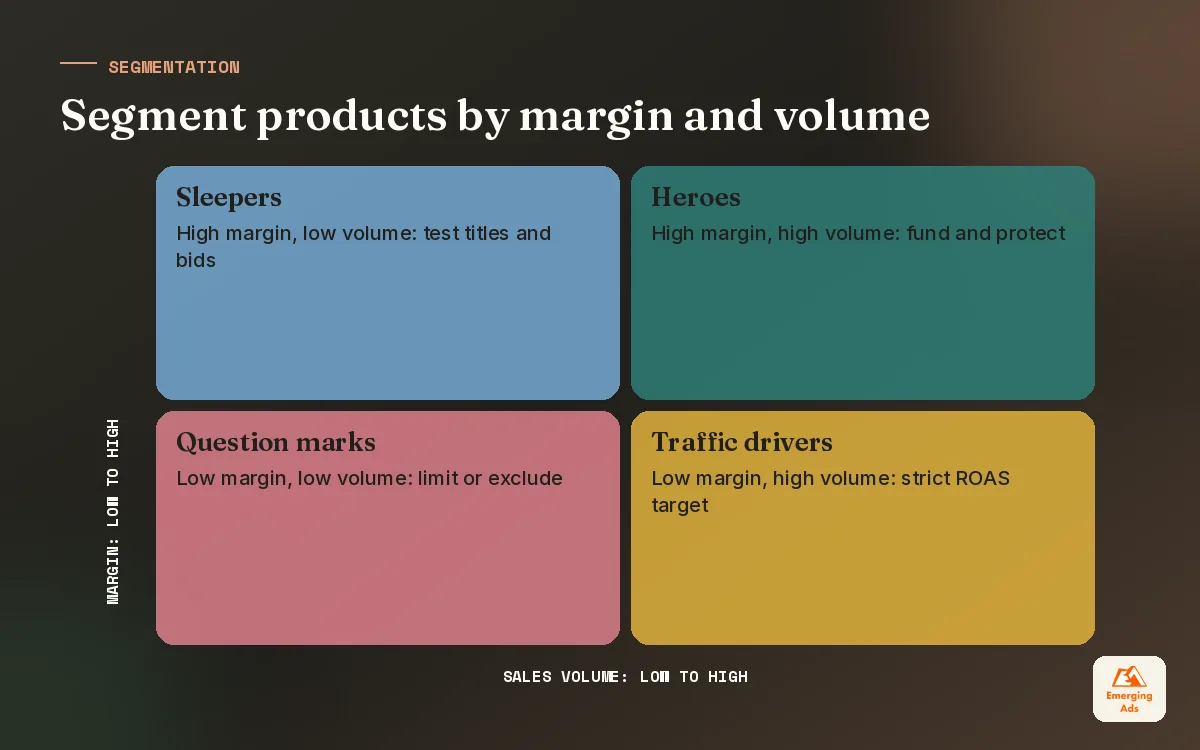
Putting every product in one campaign with one target treats a best-selling, high margin item exactly the same as a slow, low margin one. Google will spend where it sees the easiest conversions, which is often low priced products that sell easily but earn little. Segmentation fixes that by grouping products that deserve the same treatment.
The labels we set up first
- Margin band. High, medium and low margin, so each group gets its own return target.
- Performance tier. Heroes that sell steadily, sleepers with impressions but few clicks, and zombies with barely any impressions at all.
- Price band. Very cheap and very expensive items behave differently in the auction and often need separate targets.
- Seasonality. Products that matter for a peak period, so budget can move to them at the right time.
- Stock and clearance. Low stock items you do not want to push, and clearance lines where break-even is fine.
Custom labels live in the feed, so they need maintaining. We usually update performance tiers monthly from sales data and margin bands whenever pricing or supplier costs change. A label nobody updates is worse than no label, because it sends budget to last quarter’s winners.
06Shopping ads bidding strategy: bid by margin, not by revenue
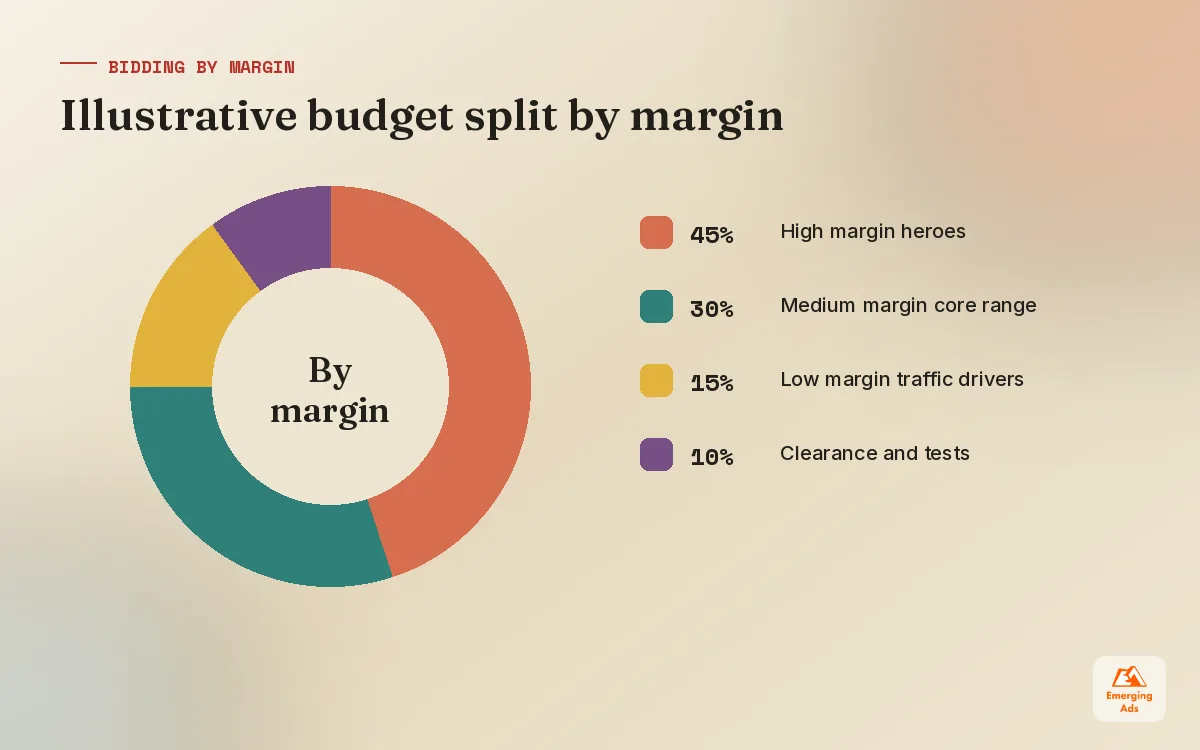
Return on ad spend is the default measure for Shopping, and it is useful, but a single ROAS target across a whole catalogue hides a problem. A product with a thin margin can hit a healthy looking ROAS and still lose money, while a high margin product could run at a lower ROAS and be very profitable. So we work out a break-even ROAS for each margin band and set targets from there.
The maths is simple. Break-even ROAS is one divided by your gross margin after product cost, shipping and payment fees. A product that keeps 40 percent of the sale as margin breaks even at a ROAS of 2.5. Anything above that is profit before overheads; anything below is paying to sell.
| Margin band (illustrative) | Margin after costs | Break-even ROAS | Starting target we might set |
|---|---|---|---|
| High margin | 60% | 1.67 | Around 2 to 2.5, to allow room for growth |
| Medium margin | 40% | 2.5 | Around 3 |
| Low margin | 25% | 4.0 | Around 5, or limit spend |
| Clearance | 10% | 10.0 | Break-even is acceptable to move stock |
Figures above are illustrative, not benchmarks. Your own margins decide the numbers. Where brands can pass profit or margin values into conversion tracking, we prefer bidding on that directly, because it lets automated bidding chase profit rather than turnover. Our ecommerce marketing services cover that setup, and our ecommerce PPC guide explains how Shopping fits with Search and Meta in the wider channel mix.
07Search terms, negatives and query control in Shopping
Because you do not pick keywords in Shopping, you control queries from the other direction: by telling Google what not to show for. In Standard Shopping that means reading the search terms report and adding negatives, exactly as you would in Search. Performance Max gives you less direct control, so the feed and brand exclusions do more of the work.
Using campaign priority to steer queries
A classic Standard Shopping technique uses campaign priority settings and negatives to route queries. A high priority campaign with generic terms added as negatives, and a low bid, catches broad searches cheaply. A lower priority campaign with the same products and higher bids picks up specific searches that include brand or model names. It takes some care to set up, but on large catalogues it gives real control over how much you pay for vague browsing versus clear buying intent.
- Add obvious negatives early: free, used, second hand, repair, manual, jobs, and any product types you do not sell.
- Watch for competitor brand searches showing your products; decide deliberately whether you want them.
- Check that branded searches for your own store are not inflating non-brand Shopping results.
- Review top spending search terms weekly for the first month, then fortnightly once things settle.
08Measuring Google Shopping ads and knowing when to scale
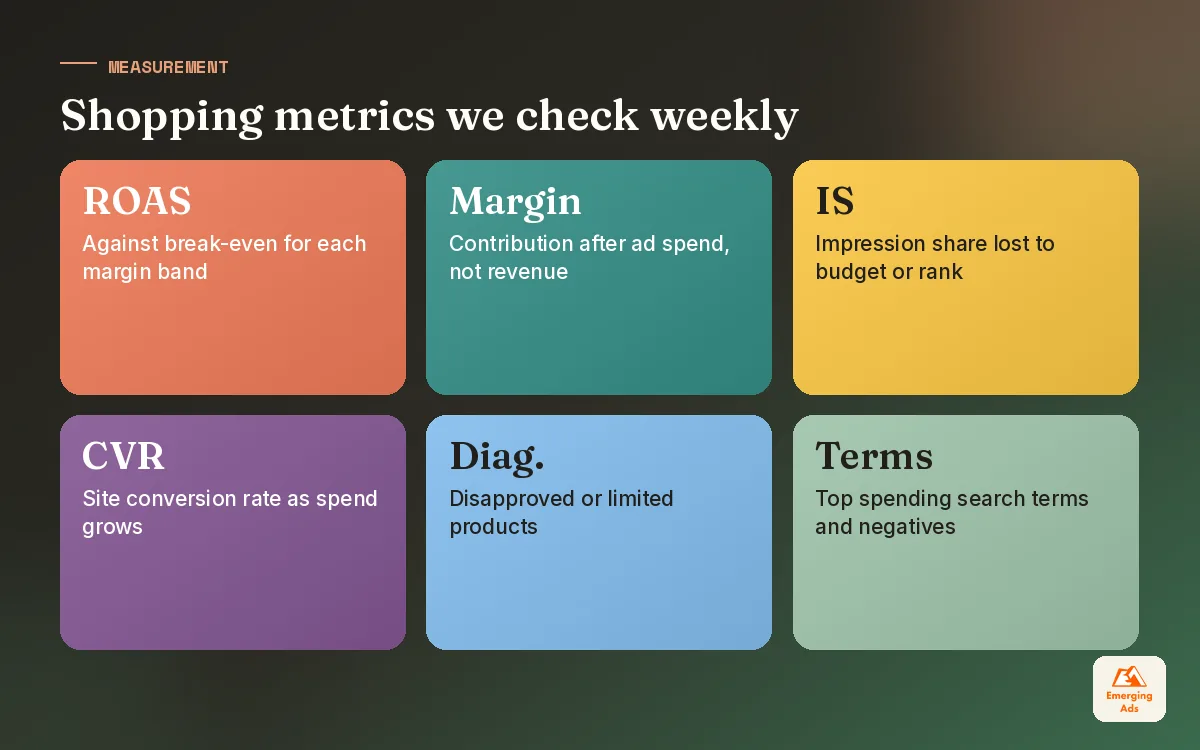
The platform view is one angle. We also compare Google Ads revenue against what the store and analytics actually recorded, look at new versus returning customers, and watch contribution margin after ad spend. A clean GA4 setup and a simple Looker Studio dashboard that combines ad spend with margin data make these weekly checks quick rather than a monthly spreadsheet fight.
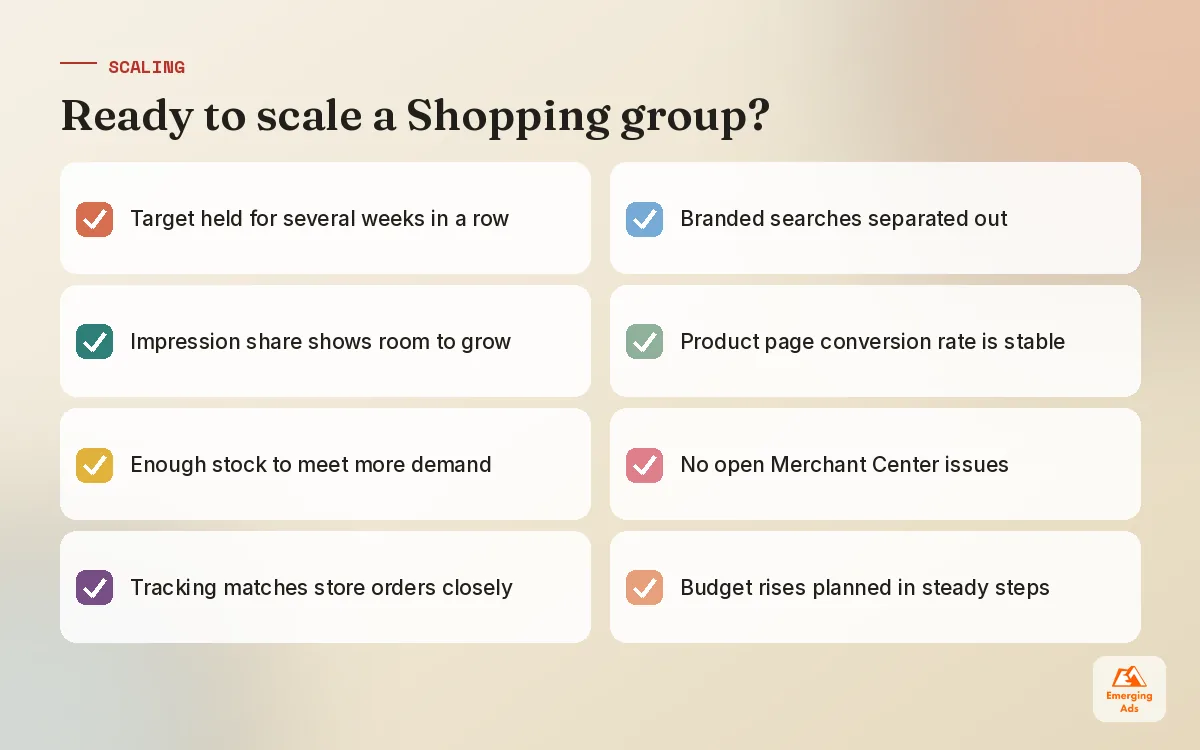
We scale a Shopping segment when it holds its target for several weeks, impression share shows room to grow, and the products have stock to meet more demand. We increase budgets in steady steps rather than big jumps, and we watch conversion rate on the site as traffic grows. If conversion rate falls as spend rises, the problem is often the product page, and Shopify conversion optimisation can do more than any further budget increase.
Shopping rarely works alone
Most shoppers see a product more than once before buying. Shopping ads catch people searching, while Meta ads for ecommerce can introduce products to people who were not searching yet and bring browsers back. In accounts we manage, the brands that grow steadily run both and judge them together, rather than asking each channel to take full credit for every sale.
If you want a second pair of eyes on your feed, campaign split or targets, take a look at our full list of PPC and ecommerce services, or browse more practical guides on the EmergingAds PPC blog.
Frequently asked questions
Straight answers to what clients ask us most about google shopping ads.
What are Google Shopping ads?
Do I need Google Merchant Center to run Shopping ads?
Why are my products disapproved in Merchant Center?
How do I write better product titles for Shopping?
Should I use Standard Shopping or Performance Max?
Can I add negative keywords to Shopping campaigns?
What is a good ROAS for Google Shopping ads?
What are custom labels and how should I use them?
How long does it take for Shopping ads to perform?
Why do some of my products get no impressions?
Is Google Shopping worth it for small stores?
Is your product feed holding your Shopping campaigns back?
We will review your Merchant Center diagnostics, feed titles and campaign split, then show you the products that deserve more budget and the ones quietly losing money.
Book your free audit